 English
 Romana

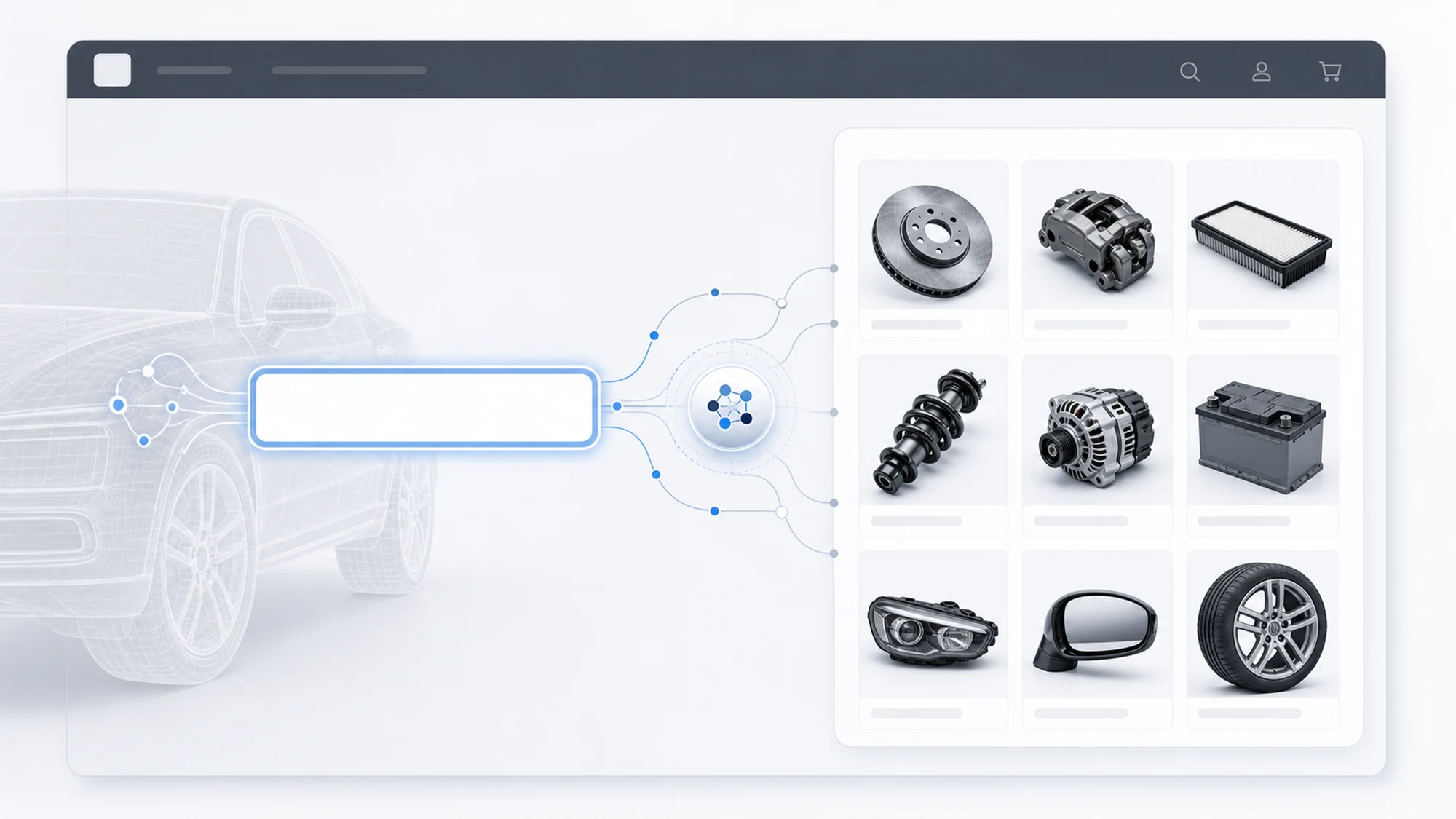
At stoauto.ro, a customer doesn't pick a part from a general catalog — they enter the vehicle's VIN, and the store shows only the original parts compatible with their exact vehicle. HappyWeb built this flow by integrating technical data from yqservice.eu, the system behind ACIS (Auto Components Information System), directly into the store's search box.
This article focuses strictly on the mechanics of the VIN search feature — from entering the code to displaying the matching part — not on the store's full architecture. For a broader overview of every module built for stoauto.ro (catalog, pricing, customer account), we already covered that in the case study on the YQ Service implementation at stoauto.ro.
What follows is the technical flow and the UX decisions behind a single feature — but the one most visible to the end customer: VIN search.
Why VIN search became the center of stoauto.ro's UX
An original parts store can't let a customer browse a technical catalog freely and pick a part on their own. Differences between engine variants, facelifts, or optional equipment are too fine-grained for a buyer without technical knowledge to identify correctly. That's why the project decision was to make the VIN the mandatory entry point into the catalog, not one option among several.
The VIN (Vehicle Identification Number) is the unique 17-character code assigned to every vehicle at manufacturing. Unlike a make-and-model search, the VIN identifies the specific unit — its engine variant, body type, and often the factory equipment package. In practice, the customer enters a single code and the store does the rest.
The technical flow: from VIN code to displayed parts list
From a development standpoint, the flow has four distinct stages, each with its own technical decisions:
- Input and format validation — the customer types or pastes the VIN into the search box; the interface checks length and format locally (17 alphanumeric characters, excluding the letters I, O, Q) before sending any request to the technical system, catching obvious mistakes without wasting an API call.
- YQ Service query — the validated VIN is sent to the yqservice.eu data, which decodes the vehicle and returns its technical structure (manufacturer, model, engine variant, body variant).
- Mapping onto the stoauto.ro product catalog — the technical result is matched against existing store products, automatically filtering the catalog to parts compatible with that exact vehicle, not the entire model range.
- Filtered display, with the confirmed vehicle visible — alongside the parts list, the customer sees confirmation of the identified vehicle (make, model, engine variant), so they can verify the identification themselves before ordering.
The last step was a deliberate UX decision: a customer who doesn't see the vehicle confirmation loses trust in the result, even if it's correct. Explicitly displaying the data decoded from the VIN removes that trust gap.
VIN search vs manual selection: what we chose for stoauto.ro
We kept both methods available, but with different roles in the interface.
| Criterion | VIN search | Manual selection (make, model, engine) |
|---|---|---|
| Identification precision | High — exact vehicle, with equipment variant | Medium — covers the model family, not the exact unit |
| Time required from the customer | Low — a single field to fill in | Higher — several successive selection steps |
| Availability | Depends on YQ Service data coverage for that vehicle | Always available, regardless of technical data coverage |
| Role in the stoauto.ro interface | Primary method, visually promoted on the search page | Fallback option, for vehicles without complete VIN data |
The result of this decision: the VIN remains the primary path, but the customer never hits a dead end if their vehicle lacks complete data in the system.
What happens when the VIN doesn't match or data is missing
A VIN search feature has to be designed for the cases where things don't go perfectly — not just for the ideal flow.
| Situation encountered | How it was handled at stoauto.ro |
|---|---|
| VIN entered with invalid format (wrong length, disallowed characters) | Immediate field-level message, before sending the request — the customer corrects it without waiting for a server response. |
| VIN valid in format, but no technical data available | The customer is automatically directed to manual selection (make, model, engine), instead of being stuck on an empty screen. |
| Vehicle identified, but no parts available for a searched category | The catalog explicitly shows the lack of results for that category, instead of displaying incompatible parts just to fill the page. |
The impact of VIN search on the stoauto.ro customer experience
Three practical effects came directly from putting the VIN at the center of the UX:
- Fewer wrong orders — the customer orders the part validated for their exact vehicle, not one that only fits the make and model in general.
- Shorter buying process — a single field to fill in, without successive selection steps, for the large majority of vehicles with complete data.
- Visible trust in the result — explicit confirmation of the identified vehicle removes customer uncertainty before adding the product to the cart.
Practical plan: adding VIN search to an existing store
For a store that already has an auto parts catalog and wants to add a VIN search feature similar to stoauto.ro's, we follow these steps:
- Check whether existing products already have a vehicle-association structure or need to be built from scratch.
- Add VIN format validation at the interface level, before any call to the technical system.
- Connect the query to the YQ Service data and define how the result maps onto the existing product catalog.
- Build the vehicle confirmation screen, visible to the customer.
- Explicitly define the fallback path (manual selection) for vehicles without complete data.
- Test the flow on a real sample of VINs, including invalid formats and vehicles without coverage.
Frequently asked questions about VIN search at stoauto.ro
1. What happens if a customer enters the VIN incorrectly?
Format validation catches most obvious mistakes before the request is sent. If the VIN is valid in format but doesn't match any known vehicle, the customer gets a clear message and is directed to manual selection.
2. Does VIN search work for every vehicle?
It depends on YQ Service data coverage for that vehicle. For cases without complete data, stoauto.ro keeps manual selection as a fallback, so the customer is never blocked.
3. Why is the identified vehicle confirmation shown, not just the parts list?
We considered that a customer needs to verify themselves that the correctly identified vehicle matches their car, before trusting the displayed parts and placing an order.
4. Can a similar VIN search feature be added to another online store?
Yes. The flow described here — validation, query, catalog mapping, visual confirmation — can be replicated in any store that has access to YQ Service technical data and a vehicle-structured product catalog.
Conclusion
VIN search at stoauto.ro isn't just a search box — it's a complete flow of validation, technical query, and visual confirmation, designed as the central point of the buying experience. The result is a customer who finds the right part for their exact vehicle, without browsing a technical catalog they can't interpret on their own.
HappyWeb has direct experience building this type of feature and can integrate VIN search with YQ Service into an existing or new auto parts store. Contact us to discuss your project.
Image generated with AI, used for illustrative purposes.



Write a comment