 English
 Romana

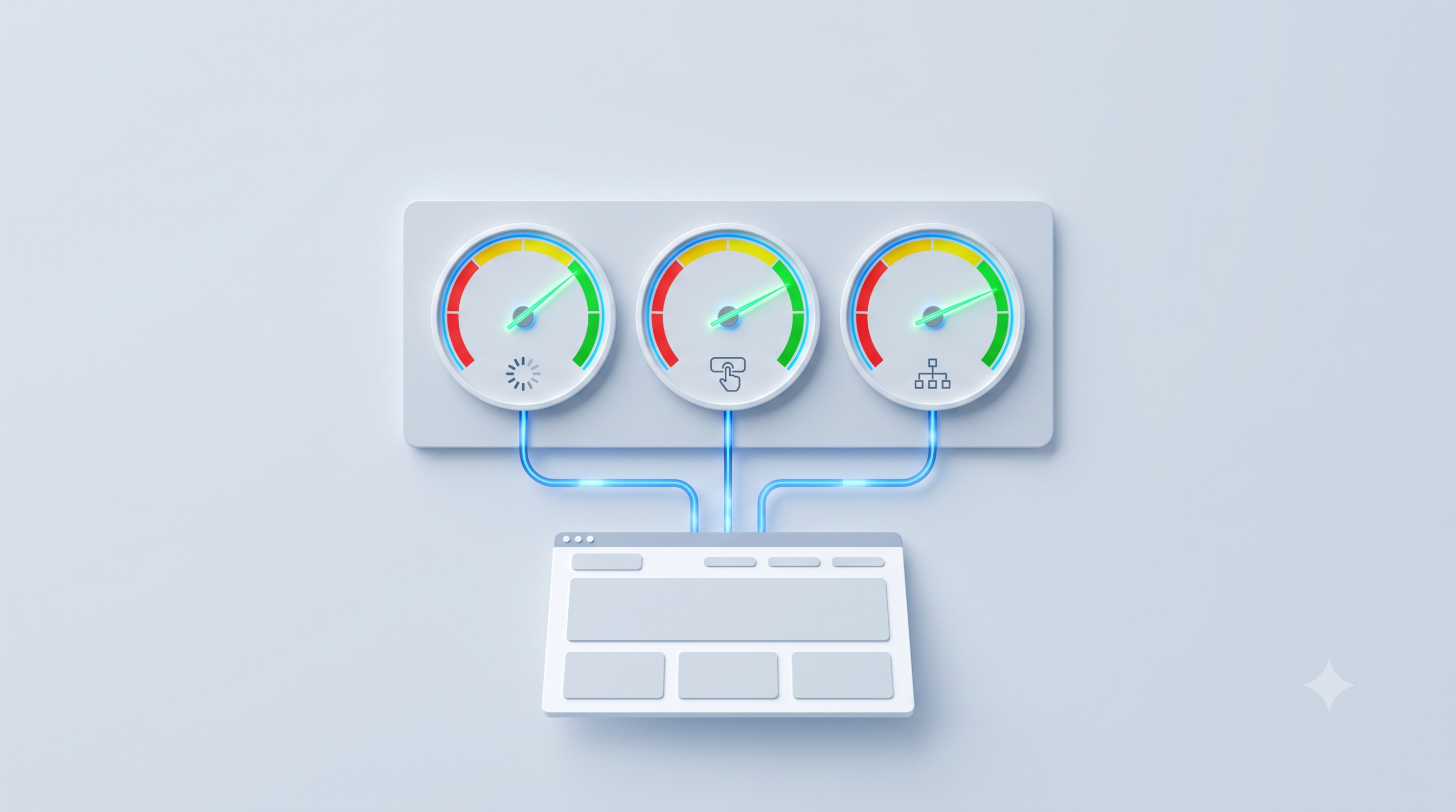
Core Web Vitals 2026 still means the same three metrics Google has used since 2021 — Largest Contentful Paint (LCP), Interaction to Next Paint (INP), and Cumulative Layout Shift (CLS) — checked against current thresholds and tools. Optimizing them means a page that loads visually fast enough, that responds quickly to interactions (click, tap, typing), and that doesn't shift its elements on screen while a user is reading or filling in a form.
For each metric, Google publishes clear thresholds for "good," "needs improvement," and "poor," calculated from real Chrome user data at the 75th percentile. A site that passes all three "good" thresholds sends signals aligned with what Google's core ranking systems aim to reward, without that automatically guaranteeing a better position if its content is less relevant than a competitor's. Last updated: June 22, 2026.
This article explains, step by step, what each metric is, how to check your site's real scores, how to practically optimize LCP, INP, and CLS, which common mistakes show up, and which claims about "2026 updates" circulate online without official confirmation. It is useful for business owners who want to understand the Search Console report, for SEO specialists, and for developers implementing the technical fixes.
What Core Web Vitals are and why they matter for SEO and user experience
Core Web Vitals is a subset of metrics from Google's broader "page experience" program, focused strictly on three measurable aspects in the browser: loading speed, response capability to interactions, and visual stability. They are real user-experience metrics, not just abstract technical indicators.
A few quick definitions before going further:
- LCP (Largest Contentful Paint) = the time until the largest visible element in the initial viewport (usually the hero image or headline) finishes rendering.
- INP (Interaction to Next Paint) = the page's visual response time to a user interaction (click, tap, key press), measured across the entire visit.
- CLS (Cumulative Layout Shift) = how much the page's visible elements "move" during loading or interaction, without the user having asked for it.
- CrUX (Chrome User Experience Report) = Google's database of real, anonymized metrics collected from actual Chrome users.
In practice, a site with good Core Web Vitals feels "fast and stable" to the person using it, not just on paper: text and images appear promptly, buttons react immediately to clicks, and nothing "jumps" on screen while the user is reading or filling in a form.
LCP, INP and CLS explained: what each metric measures and what a good score means
Google publishes explicit thresholds for each metric, evaluated separately for mobile and desktop, since the two environments typically perform differently. The table below summarizes the official thresholds, confirmed directly in Google's documentation and in the Core Web Vitals report inside Search Console.
| Metric | Good | Needs improvement | Poor |
|---|---|---|---|
| LCP (loading speed) | ≤ 2.5 seconds | 2.5 - 4 seconds | over 4 seconds |
| INP (interaction responsiveness) | ≤ 200 milliseconds | 200 - 500 milliseconds | over 500 milliseconds |
| CLS (visual stability) | ≤ 0.1 | 0.1 - 0.25 | over 0.25 |
Why the 75th percentile matters, not the average
Google evaluates these thresholds at the 75th percentile of real visits, not at their average. In practice, for a page to be classified "good," at least 75% of real visits must meet the "good" threshold for each metric, separately on mobile and desktop. A good average with occasional very poor spikes does not guarantee a "good" score at the 75th percentile.
Why INP replaced FID
Until March 2024, the third official metric was First Input Delay (FID), which only measured the delay of the user's first interaction. INP officially became a Core Web Vital on March 12, 2024, replacing FID, because it measures response capability across the entire visit, not just the first click. This change is officially confirmed by Google and is the only major metric change in recent years.
Are Core Web Vitals a Google ranking factor? What Search Central officially says
Google explicitly states, in its Search Central documentation, that page experience signals, including Core Web Vitals, "align with what our core ranking systems seek to reward." In other words, Core Web Vitals are part of the broader page experience context, not an isolated signal that "beats" content relevance.
In practice, this means an excellent Core Web Vitals score does not make up for weak or irrelevant content for a given search intent. Between two pages with similar relevance for the same search, however, technical performance can make the difference. There is no official Google confirmation that Core Web Vitals guarantee any specific position; we do not promise guaranteed positions in Google and recommend treating any such promise with caution.
How to check Core Web Vitals for your site: Search Console, PageSpeed Insights, or your own data
One of the most common points of confusion is the difference between field data and lab data. Field data comes from real visits, through CrUX; lab data comes from a single, controlled simulation, usually via Lighthouse. The two can show different scores for the same page, without either one being "wrong."
| Tool | Data type | Most useful for |
|---|---|---|
| Search Console - Core Web Vitals report | Field (CrUX), grouped by similar URLs | Ongoing monitoring, prioritizing groups of pages |
| PageSpeed Insights | Field (CrUX, 28-day window) + lab (Lighthouse) | Point-in-time diagnosis of a single page, with concrete recommendations |
| Own RUM (monitoring script installed on the site) | Field, in real time, on your own traffic | Low-traffic sites, segmentation by specific pages or categories |
Google explicitly states that PageSpeed Insights reports real user field data for the previous 28 days; if a page doesn't have enough traffic for its own data, the tool automatically falls back to origin-level data, and if even that is unavailable, it shows no real-user data at all, only the Lighthouse simulation result.
Practical recommendation: use the Search Console report for ongoing monitoring and prioritization, PageSpeed Insights for detailed diagnosis on a specific page, and your own RUM only if the site has insufficient traffic for relevant CrUX data or you need fine-grained segmentation (for example, by product category).
How to practically optimize LCP, INP and CLS
Optimizing Core Web Vitals isn't a single action but a series of technical adjustments, each tied to one of the three metrics. Below are the tactics with real impact, consistent with standard practices recommended in Google's technical web performance documentation.
LCP optimization (loading speed)
- Reduce server response time (TTFB): performant hosting, server-side caching, or a CDN for static resources.
- Compress and serve hero images in modern formats (WebP or AVIF), at the actual displayed size, not the original file resolution.
- Explicitly preload the LCP element (for example, the hero image) with
<link rel="preload">, if it's a critical resource for the first view. - Remove or defer CSS and JavaScript that block the initial render of the page.
- Don't apply lazy loading to the image that is the LCP element; lazy loading is only useful for content below the initial viewport.
INP optimization (responsiveness)
- Break up long JavaScript tasks (over 50 milliseconds, per the Long Tasks standard) into smaller chunks, so they don't block the main thread.
- Reduce the amount of JavaScript executed on load; apply code splitting and load code only when it's actually needed.
- Avoid heavy computation directly inside event handlers (click, scroll, input); move extra work off the main thread where possible.
- Audit third-party scripts (live chat, marketing pixels, widgets) and remove the ones that don't add real value, since they are often the main cause of poor INP.
CLS optimization (visual stability)
- Explicitly set dimensions (
width/heightoraspect-ratio) for all images and videos on the page. - Reserve fixed space for ads, embeds, and widgets before they load.
- Use
font-display: swapand preload critical fonts to reduce the visual jump from the fallback font to the final font. - Avoid inserting new content above existing content without reserved space in advance (cookie banners, notifications, subscription forms).
Practical example: on an online store with a product gallery, poor INP is often caused by a chat widget or a remarketing pixel loaded synchronously, which blocks the main thread right when the user clicks "add to cart." Delaying that script until after the initial interaction can bring a visible improvement without removing the functionality.
There is also a real trade-off: a large photo gallery with many high-resolution images helps conversion on an eCommerce site, but can hurt LCP if it isn't optimized correctly. The solution isn't removing the gallery, but optimizing the format, size, and loading order of the images.
Common mistakes when optimizing Core Web Vitals and how to avoid them
- Optimizing only the Lighthouse (lab) score without checking field data in Search Console → mitigation: confirm any optimization with real user data too, not just an isolated test.
- Lazy-loading the LCP image, delaying exactly the element that should load with priority → mitigation: explicitly mark the LCP element as priority, not "lazy."
- Testing only on desktop, even though most traffic may be mobile → mitigation: check mobile and desktop scores separately, since thresholds are evaluated independently.
- Ignoring INP because "it can't be tested in a lab" → mitigation: use field data (Search Console, CrUX, your own RUM) specifically for INP, instead of relying only on Lighthouse for this metric.
- Accumulating third-party scripts without periodic audits (chat, pixels, review widgets) → mitigation: review active scripts quarterly and remove unused or low-impact ones.
- Making technical decisions based on unsourced claims about "2026 updates" → mitigation: check Google's official documentation (Search Central, web.dev) directly before changing technical strategy based on an external article.
A practical 30-60-90 day plan for optimizing Core Web Vitals
Optimizing Core Web Vitals is an ongoing process, not a project with a fixed end date. The plan below is a general guideline and should be adapted to your site's size and technical complexity.
First 30 days: diagnosis
- Check the Core Web Vitals report in Search Console, separately for mobile and desktop.
- Run PageSpeed Insights on your highest-traffic pages (homepage, main categories or services, the most visited product pages).
- For each problematic page, identify which of LCP, INP, or CLS is below threshold.
- List active third-party scripts and resources that block the initial render.
Days 31-60: technical optimizations
- Optimize hero images (format, size, preload for the LCP element).
- Remove or defer third-party scripts that don't add direct value for users.
- Set explicit dimensions for images, videos, ads, and embeds.
- Apply code splitting and reduce JavaScript executed on initial load.
Days 61-90: measurement and consolidation
- Compare the Core Web Vitals report again against the initial month.
- Check whether the optimizations also improved conversions or time on site, not just technical scores.
- Document the changes applied, so you can quickly roll back if a future site update reintroduces a performance regression.
- Set up a quarterly performance audit as part of regular site maintenance.
What really changed in Core Web Vitals and which "2026 update" claims aren't confirmed
The only major, official change confirmed by Google in recent years is replacing FID with INP, on March 12, 2024. Otherwise, the thresholds for LCP (2.5 seconds), INP (200 milliseconds), and CLS (0.1) remain as described above, according to the official documentation verified directly at the time of writing this article.
While researching this guide, we reviewed more than 15 recently published articles about "Core Web Vitals 2026," mostly on agency blogs or SEO content platforms. Some of them claim things like the "good" LCP threshold being lowered to 2.0 seconds via a supposed "March 2026 update," or the appearance of a fourth metric, generically called a "Visual Stability Index." No official Google source (Search Central, web.dev, Search Console Help) checked directly for this article confirms these claims. Several of these articles also contain adoption statistics that contradict each other, without citing any verifiable primary source.
The practical takeaway is simple: when you read about a supposed major change to Core Web Vitals, check directly in Google's Search Central documentation or on web.dev before changing your site's technical strategy based on a single external article, no matter how recent it looks.
FAQ - Core Web Vitals 2026
1. What is Core Web Vitals, in a few words?
Core Web Vitals is a set of three Google metrics — LCP, INP, and CLS — that measure a web page's loading speed, responsiveness to interactions, and visual stability, based on real user data.
2. Are Core Web Vitals mandatory to appear in Google?
No. A site can be indexed and appear in results without passing all the "good" thresholds. Core Web Vitals are part of page experience signals, not an indexing requirement.
3. Why do I get different scores in PageSpeed Insights and Search Console?
PageSpeed Insights combines 28 days of field data with a single lab simulation for one page, while Search Console shows field data aggregated across groups of similar URLs. The differences are normal and don't mean either report is wrong.
4. How often should Core Web Vitals be checked?
As a general guideline, a monthly check is enough for most sites, plus an additional check right after launching a major design, theme, or functionality change.
5. Does optimizing Core Web Vitals guarantee a higher Google ranking?
No. Good technical performance supports content relevance, but doesn't replace it. Google does not officially confirm any guaranteed position based on Core Web Vitals scores.
6. Does INP fully replace the old FID in every report?
Yes, officially, since March 12, 2024. FID was removed as a Core Web Vital, and INP is the reference metric for interaction responsiveness across all current Google tools.
Conclusion
Core Web Vitals 2026 still means correctly optimizing LCP, INP, and CLS, verified with real field data, not just an isolated lab test. A 30-60-90 day optimization plan, based on accurate diagnosis and verified official sources, brings measurable results for both technical SEO and real user experience.
Dealing with indexing or site speed issues? See our SEO services, examples from our project portfolio, or read our related SEO article for more context. For a personalized technical audit, reach out on our contact page.
Image generated with AI, used for illustrative purposes.



Write a comment