 English
 Romana

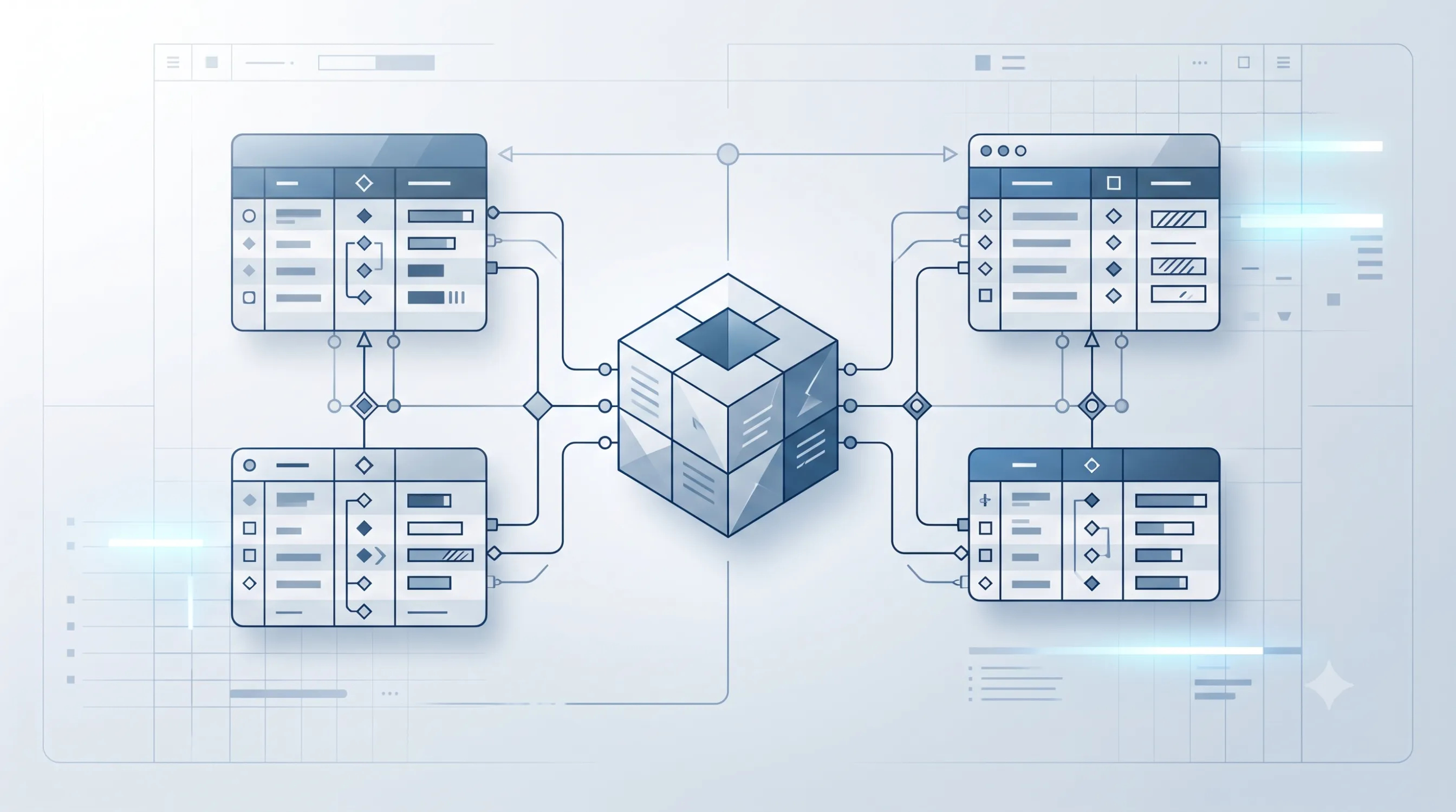
YQ Service and TecDoc don't deliver data in the same format, and that difference matters from day one of database design, not just when parts get displayed in the store. YQ Service organizes OE (Original Equipment) parts around the vehicle's VIN and the original technical position, while TecDoc organizes aftermarket parts around a third-party manufacturer's article number and its own compatibility key. A well-built database doesn't force both structures into a single table; it keeps them distinct and links them through a shared mapping key.
The difference between "having access to both APIs" and "having a complete catalog" sits exactly here: in how the database schema captures the relationship between an original part and its aftermarket equivalents, for the same vehicle and the same technical position.
This guide explains the two data models, how they connect technically, which tables and keys a unified database needs, and how this combination was handled in stoauto.ro, an original auto parts store built by HappyWeb with YQ Service integration.
What data structure YQ Service delivers for OE parts
YQ Service (the ACIS system) responds to a VIN-based query with a list of original parts, each identified by the manufacturer's OE code and its technical position on the vehicle (for example, "oil filter, engine position, left side"). The data typically includes a graphical scheme of the part's position, which allows visual location without extra interpretation.
According to information published on yqservice.eu, the platform covers over 100 million VINs and 67 passenger and commercial vehicle brands, using original data sourced directly from manufacturers. For a database, that means a large volume of VIN-position-OE code combinations that need to be stored efficiently, not just queried on demand.
What data structure TecDoc delivers for aftermarket parts
TecDoc, developed by TecAlliance, organizes aftermarket parts around each third-party manufacturer's article number, linked to a list of compatible vehicles through its own identification system (engine type, model year, body variant), not directly through VIN. The same technical position can have, in TecDoc, several articles from different brands, at different prices and availability levels.
For technical details on TecDoc integration (API, licensing, catalog sync architecture), see the dedicated TecDoc guides on HappyWeb.ro; this guide covers exclusively how TecDoc's data structure combines with YQ Service's at the database level, not TecDoc implementation itself.
The key difference: vehicle identifier vs. part identifier
The most important design difference is this: YQ Service starts from the vehicle (VIN) and arrives at the part, while TecDoc starts from the part (article) and arrives at a list of compatible vehicles. A database that handles this difference incorrectly (for example, assuming both sources index by VIN) will generate mapping errors that are hard to trace later.
| Aspect | YQ Service (OE) | TecDoc (aftermarket) |
|---|---|---|
| Starting point | Vehicle VIN | Manufacturer article number |
| Part identification | OE code + technical position | Article code + brand |
| Vehicle compatibility | Direct, by VIN | By engine/year/body combination |
| Multiplicity | Usually one OE code per position | Several articles/brands per position |
What a database schema that unifies both sources looks like
A working structure keeps three elements distinct: the OE parts table, the aftermarket parts table, and a mapping table between them, built on technical position, not on the part's free-text name.
- oe_parts table: OE code, associated VIN/model, technical position, graphical scheme, source (YQ Service).
- aftermarket_parts table: article code, brand, technical position (mapped manually or through a correspondence table), price, stock, source (TecDoc).
- position_mapping table: a unique technical key per position (for example "engine_oil_filter"), linking rows from the first two tables without merging them.
- displayed_products table: the level actually used by the store for display, combining, for each technical position and vehicle, the available OE variant and the available aftermarket variants.
This four-table separation avoids two common problems: OE data being overwritten by aftermarket data during a shared import, and the inability to update one source without affecting the other.
When to normalize data into a single table vs. keep it separate
Not every store needs the four tables described above from the start. The decision depends on data volume and how often each source changes:
- A small catalog, with a few OE part categories, can start with a single mapping column in an existing aftermarket products table, without separate tables.
- A medium to large catalog, with periodic imports from both sources, needs separate tables plus the mapping table, so automated updates don't overwrite each other.
- A B2B catalog, with repair shops requiring full technical data on both variants, benefits from the additional displayed_products layer, an aggregation layer optimized for fast queries, kept separate from the source tables.
Database design risks and how to avoid them
Combining two external sources at the database level introduces risks that are different from the risks of catalog display:
- Inconsistent mapping keys: if the technical position doesn't have a single format (free text instead of a standardized code), mapping between OE and aftermarket becomes unreliable. Avoid it with a fixed dictionary of technical positions, defined before the first import.
- Import that overwrites data: a sync job that updates both sources simultaneously in the same table can accidentally delete OE data during an aftermarket import. Avoid it with separate import jobs, on separate tables.
- Orphan data: aftermarket parts imported without any mapped technical position stay "invisible" to their equivalent OE parts. Avoid it with import-time validation and an explicit report of unmapped rows.
- Asynchronous updates: if YQ Service updates monthly and TecDoc updates daily, the display table can reflect stale data from one of the sources. Avoid it with a last-sync-date field, checked before display.
Practical plan: building the unified database step by step
For a store that already has a single source integrated (usually TecDoc) and wants to add YQ Service at the database level, the practical steps are:
- Stage 1 (0-30 days): define the standard technical position dictionary and design the schema with separate tables for OE and aftermarket.
- Stage 2 (30-60 days): initial OE data import from YQ Service, mapping onto existing technical positions, validation of unmapped rows.
- Stage 3 (60-90 days): build the display aggregation table, separate automated sync jobs for each source, testing with real data volume on priority categories.
Case study: stoauto.ro, a unified database for original parts
stoauto.ro is an online store for original auto parts built by HappyWeb, with direct integration of the yqservice.eu API. The implementation includes a vehicle database (active/inactive depending on part availability), searchable graphical schemes for OE parts, VIN-based search, sorting by manufacturer and model, plus price import and updates through CSV files, integrated into the store's ecommerce modules (cart, customer account, orders, marketplace feeds).
The data structure behind this project was designed so that periodic price updates received via CSV would not affect the technical data coming from YQ Service — a concrete example of the separation described above between data sources and the display layer.
Frequently asked questions about the OE vs. aftermarket database
Can OE and aftermarket parts be stored in the same database table?
Technically yes, but it's not recommended at large data volumes, because the two sources have different identification formats (VIN vs. article code) and different update frequencies. Separate tables, linked through a mapping key, reduce the risk of accidental overwrites.
What happens if an OE part has no mapped aftermarket equivalent?
It stays displayed individually, as an original variant, with no visible alternative. This isn't a structural error; not every technical position has an available aftermarket equivalent in the TecDoc catalog at a given time.
How do I avoid duplicating the same part under two different codes?
Through the fixed dictionary of technical positions used as the mapping key, not by comparing free-text part names, which frequently differ between the two sources.
How often should the database sync with each source?
It depends on each supplier's update frequency and the number of categories covered; for an accurate estimate of the optimal sync interval, talk directly to a specialized development team.
Is a separate aggregation table required for display?
Not for small catalogs. For medium or large catalogs, a display aggregation table kept separate from the source tables reduces query time when showing a product and isolates potential import errors from the raw data.
Conclusion
A database ready for OE and aftermarket parts doesn't mix the two sources into a single table; it keeps them separate and links them through a mapping key built on the part's technical position. This structure avoids duplicates, allows independent syncing for each source, and supports a complete catalog that's easy to maintain long-term. HappyWeb has already implemented this type of structure for stoauto.ro and can do the same for a store that wants a unified database for original and aftermarket parts.
Want an auto parts database ready for OE and aftermarket, without duplicates? Contact us for a discussion about your database structure and YQ Service integration.



Write a comment