 English
 Romana

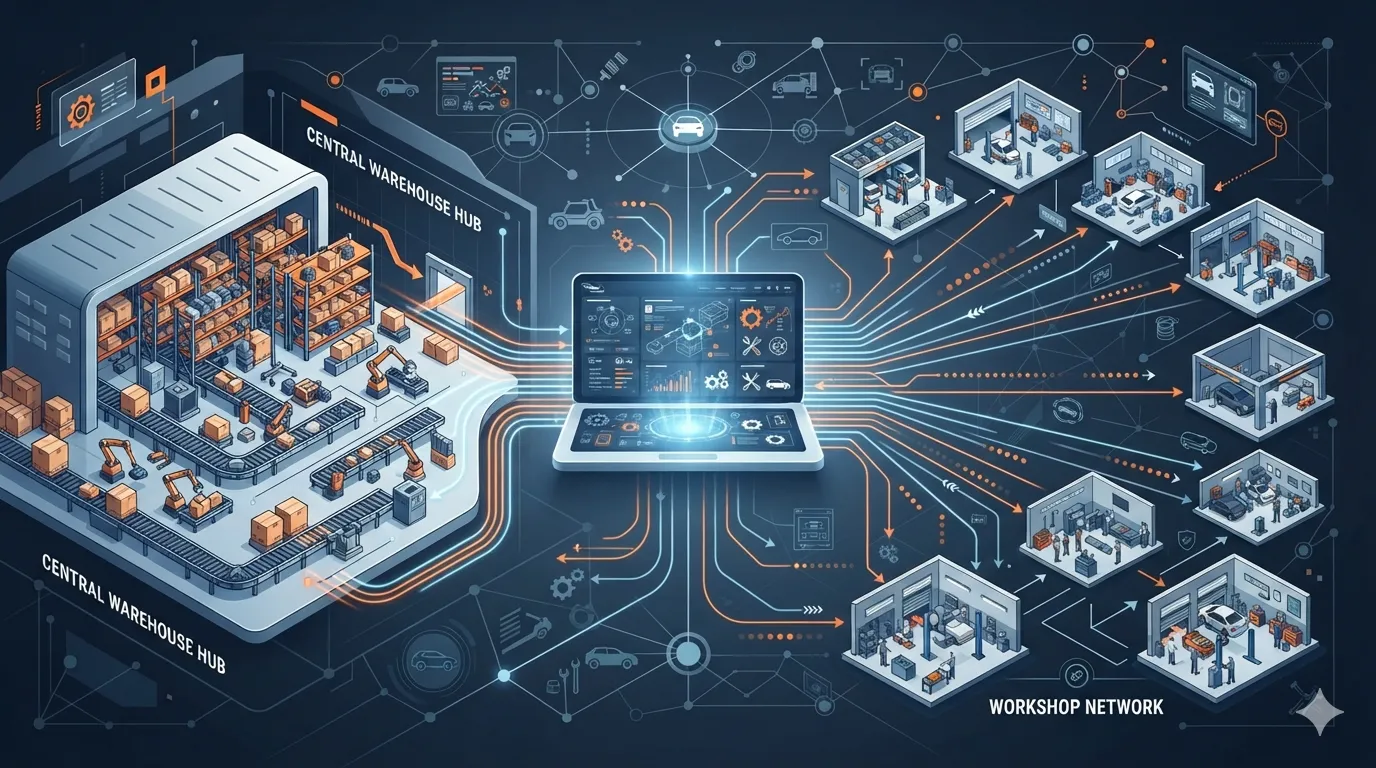
A parts distributor selling to repair shops and garages doesn't need a typical online store — it needs a B2B portal: different prices per client, bulk order handling, and a direct link to the internal ERP for stock and invoicing. The TecDoc catalog solves the technical side of parts identification (vehicle-to-part compatibility, OE codes, cross-brand equivalents), but integrating it into a B2B platform calls for a different architecture than a webshop built for end consumers.
The key difference is who searches and how they buy: a B2C customer looks for a part for their own car, once; a repair shop searches for dozens of parts daily, for multiple customer vehicles, places bulk orders, and expects a negotiated price rather than the list price. This article walks through the concrete steps for building this kind of catalog, from data architecture to bulk ordering and integration with the distributor's internal systems.
What "B2B" means for a TecDoc-based auto parts catalog
A TecDoc B2B catalog doesn't replace the technical catalog (vehicle identification, KTYPE, article codes) — it adds a commercial layer on top of it, specific to the distributor-professional client relationship:
- Mandatory authentication — the catalog and prices aren't public; each client (repair shop, garage, dealer) has its own account, tied to a contract and commercial terms.
- Tiered client pricing — the same TecDoc article can have a different price for each client, depending on purchase volume or a negotiated contract.
- Bulk ordering — a typical repair shop orders multiple articles at once, often for several different vehicles in the same order.
- Real-time stock across multiple warehouses — the client needs to see availability per location, not just an aggregated stock figure.
- Order history and quick reorder — a garage frequently repeats the same orders (filters, brake pads, oils) for the same end customers.
Data architecture: how TecDoc connects to each B2B client account
Technically, TecDoc integration in a B2B platform uses the same API/WSDL as a B2C catalog (vehicle identification, list of compatible articles, technical data), but the search result passes through an additional business-rules layer before reaching the user:
- The user logs in and the platform identifies their pricing group (e.g. "tier-2 partner repair shop", "standard garage", "authorized dealer").
- The technical search runs normally against the TecDoc catalog (by VIN, OE code, or vehicle selection), returning the compatible articles.
- For each article found, the platform queries locally (not in TecDoc) the specific price for that client group and the stock at the relevant warehouses.
- The displayed result combines TecDoc's technical data with the price and stock from the distributor's internal system (ERP or proprietary database).
In practice, TecDoc remains the source of truth for "which part fits which car", while the distributor's ERP remains the source of truth for "how much it costs and how much stock is available for this client". Keeping these two layers clearly separated is what distinguishes a well-built B2B integration from an improvised one, where prices or stock end up accidentally hardcoded into the technical catalog sync.
Bulk ordering: supporting a realistic repair shop workflow
A mechanic or a service dispatcher doesn't look up parts one by one through a standard search interface — they need a fast, volume-oriented flow. The elements that make a B2B portal actually usable:
- Order import from file (CSV/Excel) — for clients with fixed lists of article codes, ordered recurrently.
- Multi-vehicle cart — the ability to add parts for several different vehicles in the same order, with the vehicle reference kept on each line.
- Reorder from history — repeating a previous order in a single click, useful for consumables (filters, brake pads, fluids).
- Internal reference code per order line — many B2B clients want to attach their own order code or work-order number for internal reconciliation.
None of these features come from TecDoc — they're built on top of the catalog, in the platform's business logic layer. TecDoc provides accurate technical data; the B2B platform needs to make it usable at the volume and pace a repair shop actually works at.
Tiered client pricing: implementing it without slowing down the platform
The most common mistake in tiered pricing is calculating it "live", for every article, on every search — which becomes slow on catalogs with hundreds of thousands of articles. More stable approaches, commonly used in mature B2B platforms:
| Approach | How it works | When it fits |
|---|---|---|
| Price grids by client group | Each client belongs to a group (e.g. fixed % discount off list price) | Distributors with relatively standardized commercial policies |
| Per-client negotiated price | Separate table with specific prices for key clients, overriding the standard grid | Large clients with individual contracts |
| Price calculated from the ERP on demand | The platform requests the price in real time from the ERP, via an internal API | Distributors where pricing depends on complex rules already managed in the ERP |
Regardless of approach, the displayed price must be calculated based on the TecDoc article code, not on free-text or a product name — otherwise mismatches appear between what the client sees and what actually gets invoiced.
Common risks and how to avoid them
Integrating TecDoc into a B2B platform involves risks specific to this setup, different from a public catalog:
- Exposing one client's prices to another — if the pricing group isn't correctly tied to the authenticated session, a client can temporarily see another client's price. Mitigation: explicitly test price isolation per account, not just base functionality.
- Stock shown incorrectly due to delayed syncing — if stock updates on a fixed interval (e.g. hourly), a client can order something that sold out in the meantime. Mitigation: a stock check at order confirmation, not just at display time.
- Incorrect mapping between internal codes and TecDoc article codes — if the distributor's own internal codes overlap with TecDoc codes, a wrong mapping can lead to the wrong part being shipped. Mitigation: use the TecDoc article code as the single reference identifier throughout the flow, with the internal code kept only as an additional label.
- Bulk orders blocking the interface — importing hundreds of lines can slow down search for all users if it runs synchronously on the same process. Mitigation: asynchronous processing (job queue) for large imports.
Practical plan: implementation steps for a TecDoc B2B catalog
Recommended order for a distributor starting from scratch or migrating an existing B2C catalog toward a B2B flow:
- Confirm the TecDoc license covers B2B use — check explicitly with TecAlliance or the license provider whether the contract terms cover exposing the catalog to multiple professional accounts, not just individual end users.
- Define client groups and price grids — before writing any code, align with the sales team on the discount structure and special cases.
- Build the authentication and corporate account layer — with internal roles if a B2B client has several users (mechanic, dispatcher, accounting).
- Integrate the technical TecDoc search — vehicle identification, VIN, OE codes, per official documentation.
- Link TecDoc results to internal price and stock — based on the article code, as described above.
- Add volume-oriented features — order import, multi-vehicle cart, reorder from history.
- Test data isolation between accounts — using test accounts from different pricing groups, explicitly verify that no price or stock leaks between them.
- Start with a small pilot client group before a full migration, to validate the order-to-invoice flow end to end.
How this differs from a standard TecDoc online store integration
A TecDoc store for end consumers focuses on SEO, conversion, and simple search experience, with a single publicly displayed price. A B2B catalog for repair shops and garages shifts the focus to: authentication, per-client contextual pricing, order volume, and tight integration with the distributor's internal ERP. The technical identification code stays the same (the TecDoc catalog), but everything built on top of it — price, stock, order flow — differs in priority and complexity.
Frequently asked questions about TecDoc B2B integration
Can the same TecDoc license be used for both a B2C and a B2B catalog?
It depends on the license's contract terms. The number of end users, the type of data exposure (public vs. authenticated account), and query volume can all influence which license is required. Check explicitly with TecAlliance or the license provider before launching a B2B flow on top of a license originally scoped for a public store.
How is the mapping between the distributor's internal code and the TecDoc article code done?
Typically through a mapping table in the distributor's own database, where the TecDoc article code is the main technical key, and the internal code is kept as an additional reference for invoicing and stock management. This mapping should be validated periodically, especially after major catalog updates.
Does a B2B portal make sense without TecDoc integration, using only an internal catalog?
It can make sense if the distributor works with a small number of well-known brands and models, where the internal team can maintain compatibility data manually. As the number of vehicles and manufacturers grows, manually maintaining fitment data becomes costly, and TecDoc provides this technical layer already updated and validated across the industry.
How should orders be handled for parts that aren't in stock at order time?
Most B2B platforms allow backorders, with a clearly displayed estimated delivery time. It's important that this status is visually distinct from "in stock", so a repair shop can properly schedule the end customer's appointment.
Is a direct ERP integration worth it, or is periodic stock syncing enough?
For high daily order volumes, a direct integration (internal API, real-time or near-real-time) reduces the risk of overselling. For distributors with lower volume, periodic syncing (every few minutes) can be sufficient, provided there's a final stock check at order confirmation.
Conclusion
A TecDoc catalog for B2B platforms isn't an online store with a login bolted on — it's a different architecture, where technical part identification stays with TecDoc, while pricing, stock, and order flow are built separately, for the pace at which a repair shop or garage actually works. A correct implementation keeps these layers clearly separated, tests data isolation between accounts, and starts with a pilot group before a full migration.
Need a custom solution for a B2B auto parts catalog integrated with TecDoc? Let's discuss your project and put together an implementation plan tailored to the systems you already use.



Write a comment