 English
 Romana

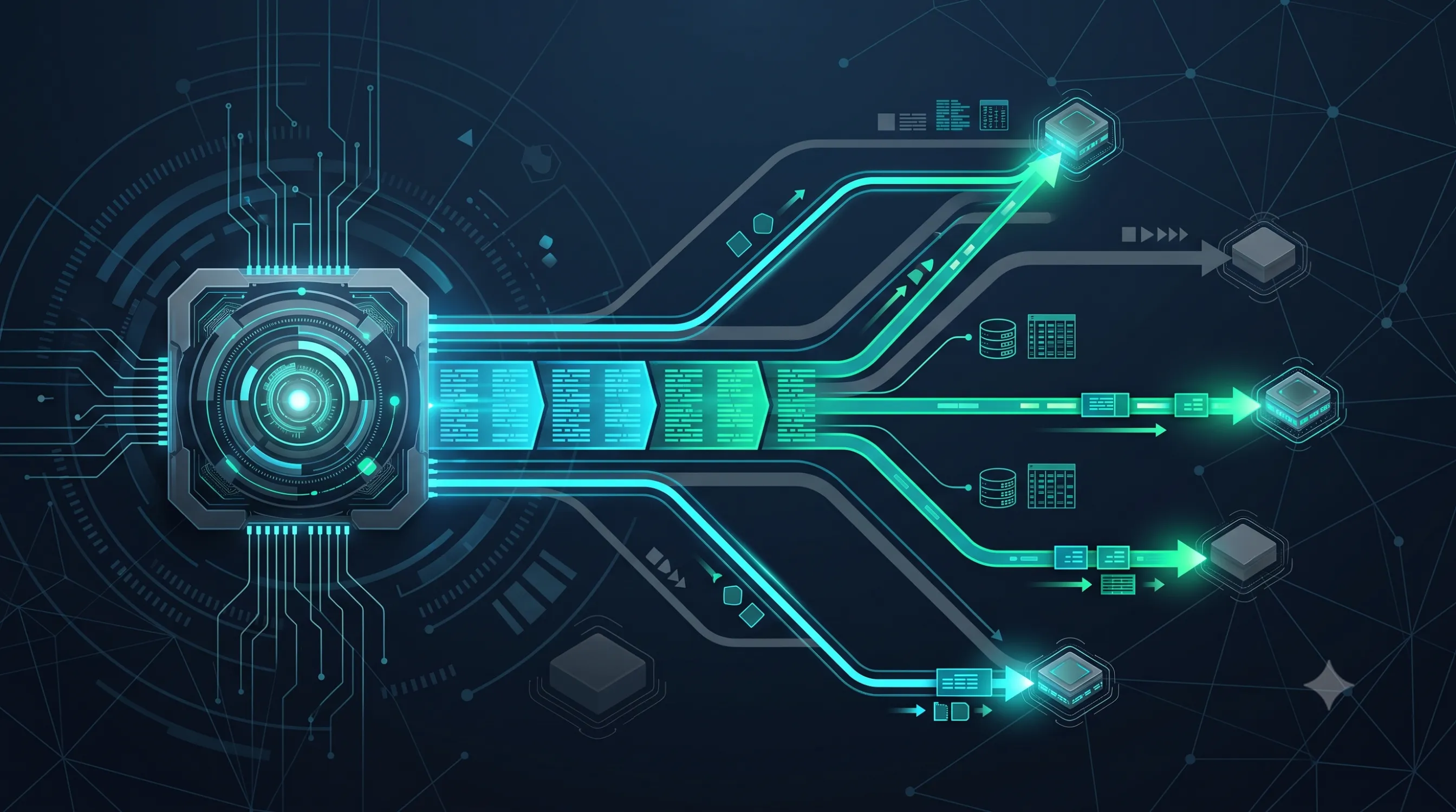
A store with a few thousand TecDoc articles runs a full catalog resync in a few minutes, without anyone noticing any impact. The same operation, on a catalog with hundreds of thousands of articles and hundreds of thousands of vehicle-to-part combinations, can take hours, can block scheduled overnight jobs, and can produce timeouts right when traffic is highest. Data volume by itself is not the problem - how that volume is queried and synced is what decides whether the store stays fast or gradually slows down.
Performance at scale comes down to three structural changes: replacing periodic full sync with incremental sync, based on articles changed since the last run; querying the TecDoc API in batches instead of one article at a time; and moving repetitive search/filtering away from API calls and into a properly indexed local database or a dedicated search engine. Implemented together, these three changes reduce both sync duration and the number of API calls required for each customer search.
This guide complements our article on common TecDoc integration errors , which covers, at a general level, the contractual compliance side of the real-time API versus local storage model. Here we go into the technical detail of incremental sync, Laravel job architecture, and optimizing API queries at high volume, with the real WSDL operations involved.
Why TecDoc Catalog Sync Gets Slow at High Data Volume
In projects we have seen slow down at scale, the bottleneck rarely has a single cause. It is usually a combination of architectural decisions made when the catalog was small, that stop working once volume grows:
- Full resync on every run - the entire catalog is re-extracted periodically, even though only a small fraction of articles actually changed.
- One-article-at-a-time queries - the store requests each article through a separate API call instead of grouping requests into batches.
- Synchronous sync running in the request thread - a long job runs directly, blocking resources that should be answering customers.
- Missing indexes on search/filter columns - every local search scans a large table without a suitable index.
- No concurrency control - multiple processes request data from TecAlliance at the same time, with no internal limit, increasing the risk of timeouts and transient errors.
Full Sync vs Incremental Sync: What Decides Long-Term Performance
Full sync means re-extracting the entire catalog on every run, regardless of how many articles actually changed. It is simple to implement, but its cost grows directly with catalog size - not with the actual number of changes. Incremental sync (delta sync) requests only the articles added, modified, or deleted since the last run, which keeps sync time relatively constant no matter how large the catalog becomes over time.
The table below summarizes the difference between the three sync approaches practically available in a TecDoc integration, based on confirmed WSDL operations and public TecAlliance information about its newer real-time update interface:
| Aspect | Full sync (complete re-extraction) | Incremental (state-based, classic WSDL) | IDP Data Receiver API (native delta) |
|---|---|---|---|
| Data volume transferred | The entire catalog, on every run | Only articles with a status changed since a given date | Only new/modified/deleted objects, delivered as a delta |
| Processing time at scale | Grows directly with catalog size | Relatively constant, depends on change volume | Relatively constant, natively optimized for updates |
| Implementation complexity | Low | Medium - requires tracking the last sync date | Medium - dedicated API integration, per contract |
| Coverage at the time of writing | The entire catalog you have contractual access to | The entire catalog you have contractual access to | Passenger cars, motorcycles, and light commercial vehicles; expansion to NTypes, axles, and transmissions announced for mid-2026 |
You don't have to pick a single model exclusively. In practice, many stores start with an initial full sync (the first population of the database), then switch to incremental sync for every subsequent run.
Real Incremental Sync with TecDoc: State-Based Queries and the IDP Data Receiver API
At the level of the classic Pegasus 3.0 WSDL contract (the same webservice family we verified in our articles on VIN-based identification and compatibility mapping), the relevant operation for incremental sync is getArticleIdsWithState. Confirmed directly from the service's public schema, this operation accepts the articleStatusDate parameter, officially described as including "only articles whose status is valid from the given date" - effectively the exact mechanism needed to ask "what has changed since my last sync." The response also includes totalMatchingArticles, useful for tracking the progress of a large sync run.
Factual transparency note: the articleStatusIds parameter on the same operation filters by status codes, but the exact coding of those codes (for example, which code means "new article" versus "deleted article") is not public - confirm it from your own contract/documentation with TecAlliance, not from a generic example found online.
For actually retrieving the data of articles identified as changed, operations such as getAssignedArticlesByIds7 and getDirectArticlesByIds7 accept an array of article identifiers (articleIds) in a single call, which allows fetching in batches instead of one article at a time.
Beyond the classic state-based mechanism, TecAlliance has publicly introduced IDP (Instant Data Processing) and the IDP Data Receiver API, officially described as providing "faster access to new, updated, or deleted objects" and reducing "processing effort by delivering deltas rather than complete datasets." According to the same source, initial coverage includes passenger cars, motorcycles, and light commercial vehicles, with expansion planned toward NTypes, axles, and transmissions in mid-2026. If your project falls within current coverage, the IDP Data Receiver API is, at the time of writing, TecAlliance's recommended native mechanism for incremental updates; for the rest of the catalog, the state-based query remains the practical solution.
Sync Architecture in Laravel: Chunking, Queued Jobs, and Idempotency
For the full architecture of a Laravel store with TecDoc integration, we already detailed the table structure and the integration service in our article on Laravel architecture for auto parts stores with TecDoc . For sync at high volume, we recommend extending that architecture with a three-step flow: identify changed articles, split them into batches, and process each batch through a separate queued job - not through a single monolithic script running for hours.
$lastSyncAt = TecdocSyncRun::latest('finished_at')->value('finished_at'); $changed = $tecdoc->getArticleIdsWithState( provider: config('tecdoc.provider'), articleCountry: 'RO', articleStatusDate: $lastSyncAt?->toDateString(), ); foreach (array_chunk($changed->articleIds, 200) as $batch) { SyncTecdocArticlesBatch::dispatch($batch); }class SyncTecdocArticlesBatch implements ShouldQueue { public function __construct(private array $articleIds) { } public function handle(TecdocClient $tecdoc): void { $articles = $tecdoc->getAssignedArticlesByIds7( articleIds: $this->articleIds, provider: config('tecdoc.provider'), ); CatalogProduct::upsert( $this->mapToRows($articles), uniqueBy: ['tecdoc_article_id'], update: ['title', 'price_group', 'updated_at'], ); } }The code above is simplified for clarity and is not a complete SOAP client; its purpose is to show the principle - you identify changes with getArticleIdsWithState, split them into manageable batches with array_chunk, process each batch through a separate job (ShouldQueue), and write the result with upsert, keyed on the article's TecDoc identifier. Idempotency matters: if a job fails halfway through and is retried, upsert does not create duplicates, it only updates the rows already written. The batch size in the example (200) is illustrative - test it on your own account, since TecAlliance does not publish a universal batch size limit.
Optimizing API Queries at High Volume: Batching, Cache, and Concurrency Control
Background sync only solves part of the problem. The other part is the queries triggered live by visitors - searching by make/model, checking compatibility, displaying a product page - which can hit the TecDoc API directly from the user's request if the architecture isn't careful.
- Cache with a controlled TTL. For repetitive queries (the same KTYPE or the same search requested by multiple visitors within a short window), a temporary cache (Redis, for example) reduces the number of real calls to TecAlliance. Apply this only within the limits allowed by your active license - see the compliance note in our article on common TecDoc integration errors .
- Batching on demand. If a page needs data for multiple articles, group them into a single
getAssignedArticlesByIds7call instead of one call per article shown in a list. - Concurrency control. Limit the number of simultaneous requests sent to TecAlliance from a single process (a semaphore or internal rate limiter), so you don't amplify a temporary API latency issue yourself.
- Retry with backoff, only on transient errors. Automatically retry on timeout or 5xx errors, with increasing delay between attempts; do not retry functional errors (for example, a nonexistent article ID), since those won't resolve themselves.
Regarding the exact rate limits or usage quotas of your TecAlliance contract: at the time of writing, we found no single, universal public documentation with exact values. Treat this as specific to your contract and clarify it directly with your TecAlliance representative, as also noted in our complete TecDoc license guide for online stores .
Local Indexing and a Dedicated Search Engine for the TecDoc Catalog
Data pulled through sync usually lands in a local relational database. At high volume, local search speed depends directly on indexing: a unique index on the article's TecDoc identifier (tecdoc_article_id) and indexes on the columns actually used for filtering (manufacturer, category, the vehicle/KTYPE identifier) reduce search time from full table scans to direct lookups.
For very large catalogs with complex full-text search (by name, OE code, manufacturer code, synonyms), classic relational indexing can become insufficient for good response times. In that case, a valid architectural decision is introducing a dedicated search engine (Meilisearch or Elasticsearch, for example), used strictly for search/filtering, in parallel with the relational database, which remains the canonical data source.
| Criterion | Relational indexing only (MySQL/PostgreSQL) | Dedicated search engine (e.g. Meilisearch/Elasticsearch) |
|---|---|---|
| Operational complexity | Simpler - a single data source to manage | Higher - requires its own index ↔ database sync |
| Best fit for | Medium catalogs, structured filtering (make, model, category) | Very large catalogs, free-text search, synonyms, typo tolerance |
| Additional infrastructure cost | Low | Medium-to-high, depending on volume and required availability |
Common Performance Mistakes and How to Prevent Them
- Full resync scheduled daily, with no real justification. Increases sync cost proportionally to catalog size, even though actual changes are usually a small fraction of the total. Mitigation: switch to incremental sync based on
articleStatusDateor the IDP Data Receiver API, wherever your contractual coverage allows it. - Synchronous API calls directly inside the user's request. A product page that waits for TecAlliance's response before rendering becomes exactly as slow as the external API is at that moment. Mitigation: move predictable queries into background sync and use cache for repetitive ones.
- Missing indexes on the columns actually used for filtering. Every search scans a large table, and response time grows linearly with the number of articles. Mitigation: add indexes on the columns actually used in filter clauses, not just on the primary key.
- No sync monitoring. A sync job that fails silently can leave the store with stale data for weeks, without the team noticing. Mitigation: log every run (duration, number of articles processed, errors) and alert automatically on failure or on an abnormally long run.
- Aggressive retries with no backoff, on every error type. Amplifies a temporary TecAlliance API availability issue, turning a brief slowdown into a cascade of errors. Mitigation: apply exponential backoff and only retry transient errors (timeout, 5xx), not functional ones.
Practical Plan: Sync and API Query Optimization Checklist
- Measure the current duration and data volume of a full sync, as a baseline for comparing the optimizations below.
- Replace scheduled full sync with incremental queries -
getArticleIdsWithStatewitharticleStatusDate, or the IDP Data Receiver API, depending on the coverage available in your contract. - Split sync into batches (
array_chunk) and run each batch through a separate queued job, not through a single monolithic script. - Add idempotent writes (
upsert), keyed on the article's TecDoc identifier, so you can safely retry a failed job. - Introduce cache with a controlled TTL for repetitive front-end queries, within the limits allowed by your active license.
- Add indexes on the columns actually used for search/filtering, and evaluate a dedicated search engine if volume and search complexity require it.
- Set up explicit monitoring: each sync's duration, API error rate, p95/p99 latency, and automated alerting on silent failure.
- Clarify your contract's exact rate/quota limits directly with TecAlliance, instead of assuming a generic value found online.
FAQ: Frequently Asked Questions About TecDoc Integration Performance
How often should I run sync with TecDoc?
It depends on how often the data relevant to your store actually changes and on your contract terms. With incremental sync, frequent runs (hourly, for example) are less costly than with full sync, because only the changes are transferred, not the entire catalog.
Does incremental sync fully replace full sync?
Not necessarily from the start. A full sync remains useful for the initial database population or for periodic consistency checks; ongoing, repeated runs should use the incremental mechanism instead of re-extracting the entire catalog.
Can I cache TecDoc API results?
It depends on the terms of your active license. Some forms of temporary caching to reduce latency are often acceptable, but long-term persistence of certain data may be contractually limited - verify this explicitly with TecAlliance before implementing a permanent cache.
What's the difference between getArticleIdsWithState and the IDP Data Receiver API?
getArticleIdsWithState is part of the classic Pegasus 3.0 WSDL contract and allows filtering articles by a status date. The IDP Data Receiver API is TecAlliance's newer interface, built natively for delta delivery (only new, updated, or deleted objects), with initial coverage limited to certain vehicle classes at the time of writing.
How large should sync batches be?
There is no universal value published by TecAlliance. Start with a moderate batch (a few hundred articles, for example), measure response time and error rate, then adjust the size based on the actual results from your own account.
Why does sync look correct, but the store is still slow to search?
Usually because the problem is no longer in sync, but in querying the already-synced local data - missing indexes or no dedicated search engine at very high volume. Check the two flows separately: sync speed and local search speed.
Conclusion: Performance at Scale Comes from Architecture, Not More Hardware
TecDoc performance problems are usually not solved with a more powerful server. The sustainable solution is a combination of incremental sync, batched API queries, contractually controlled cache, correct local indexing, and active monitoring of the entire flow. Implemented together, these measures keep sync time and search speed relatively constant, even as the number of articles and vehicle-to-part combinations in your catalog grows significantly.
If your store is struggling with slow sync or timeouts at high data volume, the HappyWeb.ro team can review your current architecture and propose a concrete optimization plan.
We build Laravel applications with TecDoc integration. See our portfolio.
Want to optimize sync or API queries in your TecDoc store? Contact us for a technical consultation.
Image generated with AI, used for illustrative purposes.



Write a comment