 English
 Romana

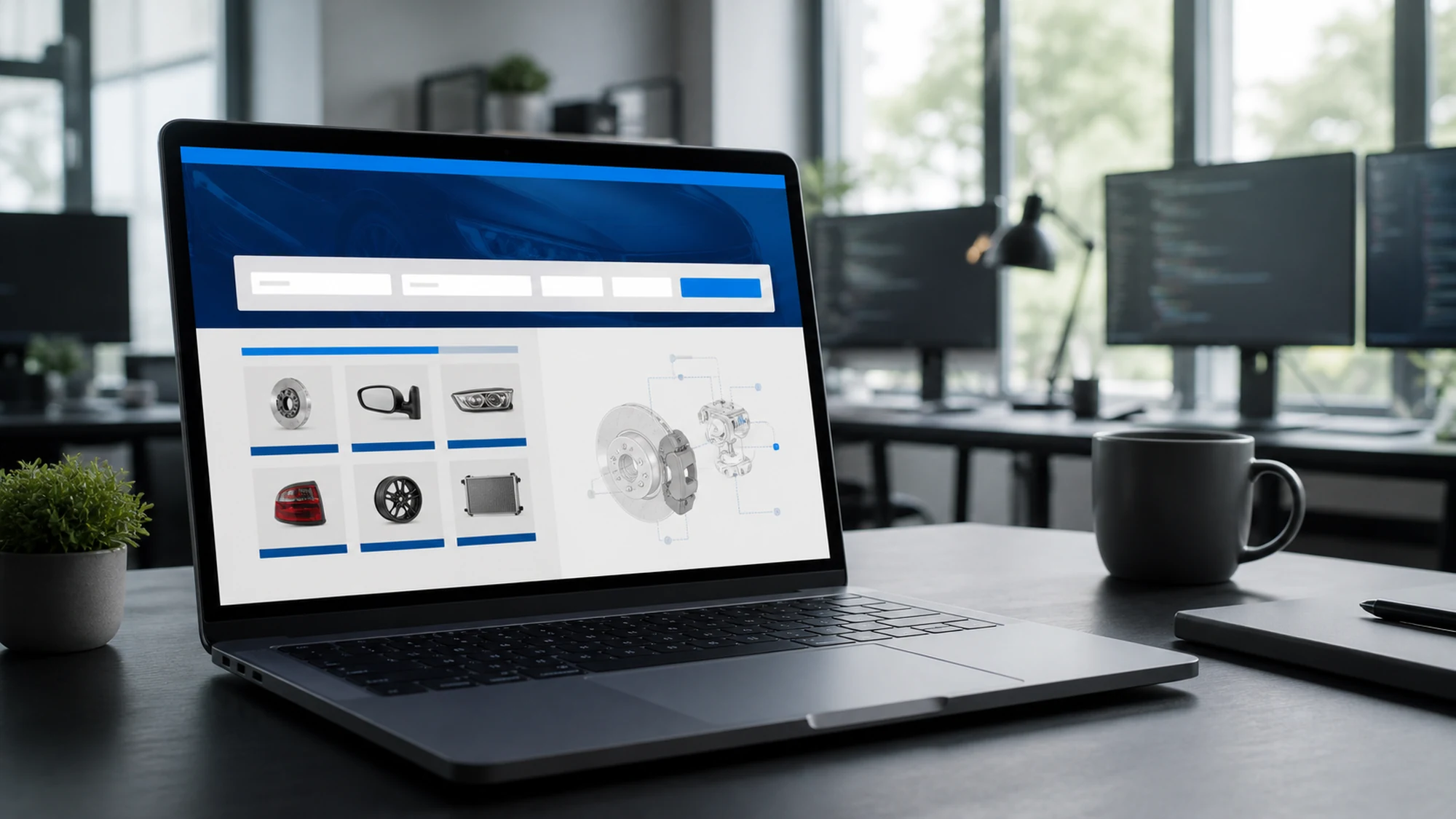
stoauto.ro is an online store for original auto parts that HappyWeb built with YQ Service (the ACIS system) integrated in. The result: customers search for parts using their car's VIN number, and the store shows the exact compatible original (OE) parts, instead of browsing generic catalogs by make and model.
This wasn't a single API integration task. It was a project with several clear stages, from understanding the store's real problem to final testing before launch. This article tells the story of that implementation as it actually unfolded, not just the list of technical modules delivered.
If you want the technical details of the modules built, we already have a dedicated article on the YQ Service implementation for stoauto.ro, plus another one strictly about the mechanics of VIN search. Here we focus on what happened before, during and after the project — and what that means for another store considering the same step.
Why stoauto.ro chose YQ Service
A store selling original auto parts has a specific problem: the OE parts catalog is organized by manufacturer code, not by terms an ordinary customer knows. Without a precise identification tool, the risk is high — a customer orders by part name or by model and generation, and the part shipped doesn't match their actual car.
YQ Service solves exactly this through the ACIS system: starting from a car's VIN, it identifies the exact production series and the compatible original parts. For a store focused on OE parts (not aftermarket), the difference is direct: fewer returns caused by incompatibility and less time spent by the stoauto.ro team on manual checks.
The implementation stages, from audit to launch
The implementation didn't start with the API integration. It started with an evaluation of the existing buying flow, to pin down exactly where time and trust were being lost.
- Audit of the existing flow — we tracked how a customer searched for a part in the old store and where confusion appeared (ambiguous matches between models and generations).
- yqservice.eu API integration — connecting the stoauto.ro catalog to the ACIS database, with mapping between the store's internal structure and YQ Service's technical data.
- OE catalog population — uploading and organizing graphical diagrams of original parts, sortable by manufacturer and model.
- VIN search activation — adding the VIN search form to the public interface, with validation and a visual confirmation of the identified vehicle.
- Testing on real cases — checking results across different vehicles by make, year and market, before public launch.
VIN search, in brief
The customer enters the car's VIN code into a dedicated field. The system confirms the identified vehicle (make, model, year, engine) before showing parts, to avoid any ambiguity. From that point, the OE parts list shown is specific to that exact production series, not to a generic range of models.
The full technical mechanics of this flow — how the VIN is validated, what happens on an unknown code, how the mapping to the catalog works — is detailed separately, so we don't repeat here what's already explained at length for readers who want technical depth.
Original OE parts in the catalog
Alongside VIN search, the stoauto.ro catalog shows graphical diagrams of original parts, searchable and sortable by manufacturer and model. Prices update through CSV import, which means the stoauto.ro team doesn't enter each price manually — it updates them in bulk whenever suppliers change their price lists.
The difference from a generic aftermarket catalog is clear: OE parts are tied directly to the car manufacturer's original code, not to an estimated compatibility. For a store selling exclusively or mostly original parts, that precision is the main trust argument with customers.
What changed for the stoauto.ro team
The most visible effect wasn't for the customer, but for the team running the store. Before, checking compatibility for an ambiguous order meant manually searching the manufacturer's documentation. After the integration, that check happens automatically, at search time, before the product ever reaches the cart.
Other direct operational changes:
- Price updates moved from manual editing to periodic CSV import.
- Sorting by manufacturer and model cut down the time spent by customers (and by staff, on the phone) looking for the right part.
- Integration into the existing ecommerce modules (cart, customer account, orders, marketplace feeds) kept the sales flow unified, without a separate parallel system.
Operational risks encountered and how they were handled
Not every vehicle has complete data available in the ACIS system at a given time, and a store needs to know explicitly how it handles these situations, not just the ideal case.
| Operational risk | How it was handled |
|---|---|
| Customer enters an incorrect VIN | Format validation before the query, with a clear error message |
| Vehicle without complete data in ACIS | Explicit display of the limitation, with a manual search-by-model option |
| Mismatch between CSV price and the previously shown price | Scheduled CSV import, with a check before publishing on the site |
| Confusion between model generations with similar VINs | Visual confirmation of the vehicle before showing the parts list |
Practical plan for another store
If you're considering the same step for your own store, the real order of work looks like this:
- Do a short audit of your current search/order flow and note where incompatibility-related returns happen most often.
- Decide whether you mainly sell OE parts, aftermarket, or both — that determines whether you need YQ Service alone, TecDoc alone, or both together.
- Plan the yqservice.eu API integration and the mapping to your store's internal structure.
- Populate the OE catalog and test VIN search on a real sample of vehicles, not just ideal cases.
- Launch gradually, monitoring the first orders, before switching off the old manual search flow.
What's next: expansion and TecDoc
A store focused on OE parts eventually reaches the same question: what do you do with aftermarket part requests, which YQ Service doesn't cover? The usual answer isn't to drop YQ Service, but to complement it with TecDoc, keeping VIN search as the shared entry point for the whole catalog, OE and aftermarket alike.
Frequently asked questions
How long does a similar implementation take?
It depends on the complexity of the existing catalog and how clean the initial data import is, but the stages stay the same: audit, API integration, catalog population, VIN search activation, testing on real cases before launch.
Can this be done without stopping the existing store?
Yes. The integration is done in parallel with the existing store, and the public launch of VIN search happens after testing on real data, not before it.
What happens if a vehicle doesn't have complete data in ACIS?
The store explicitly shows the limitation to the customer and offers the alternative of manual search by model, instead of showing an incomplete or incorrect list.
Do we have to choose between YQ Service and TecDoc?
No. They're complementary systems — YQ Service covers original (OE) parts, TecDoc covers aftermarket. Many stores end up using both for a complete catalog.
Can this process be replicated in a store built on a different platform?
Yes, the principles still apply — auditing the flow, API integration, catalog mapping and testing on real data don't depend on the ecommerce platform used.
Conclusion
The YQ Service implementation for stoauto.ro wasn't just a technical integration, but a change in how the store's team verifies and sells original parts: from manual search and ambiguity, to direct identification based on the car's VIN. If you're considering the same step for your store, the structure described here — audit, integration, catalog, testing, launch — is the real starting point.
Want original and aftermarket parts in the same store? Let's discuss combining YQ Service and TecDoc for a complete catalog.
Image generated with AI, used for illustrative purposes.



Write a comment