 English
 Romana

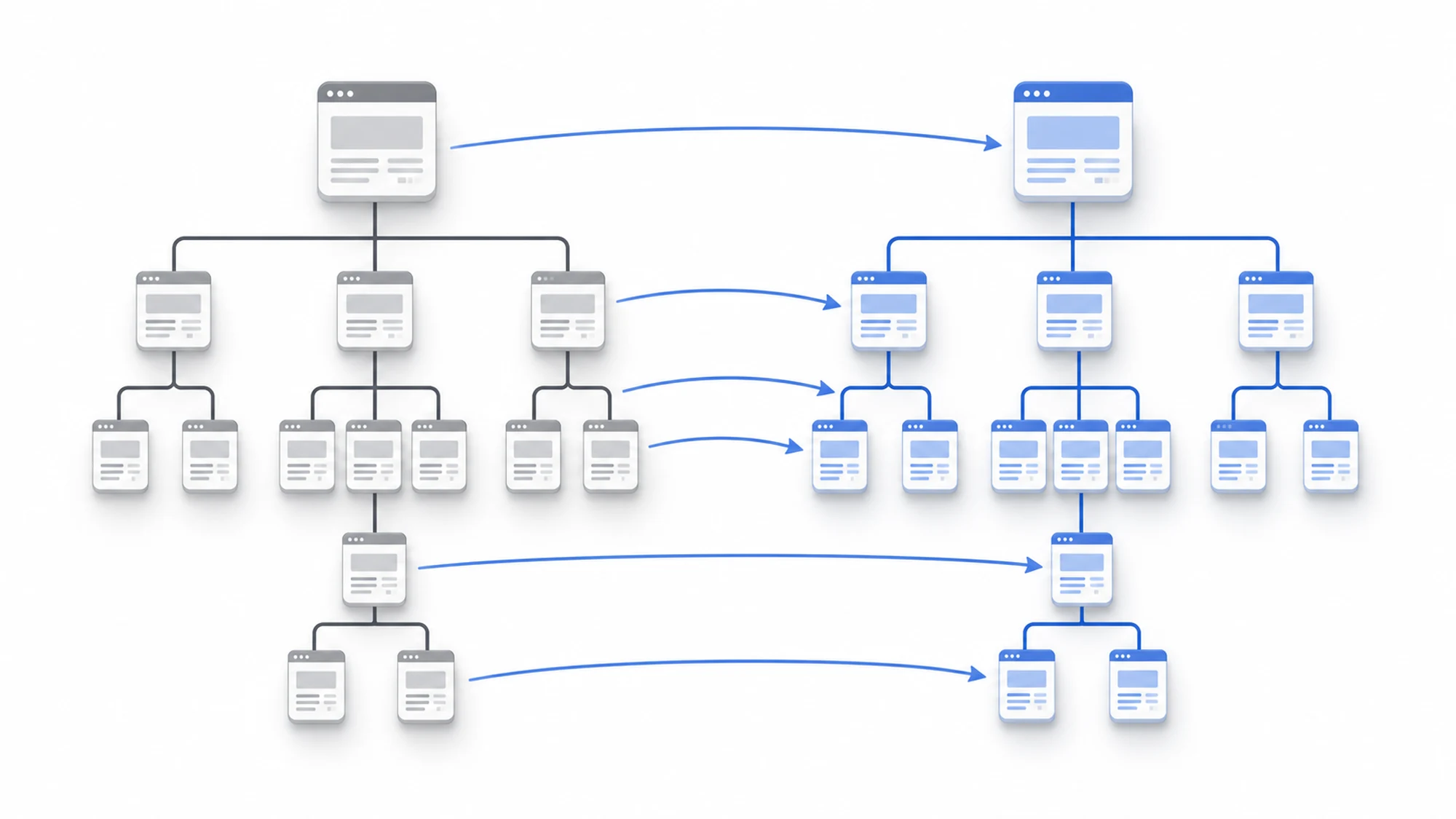
A website changing domain, URL structure, or platform frequently loses organic traffic because of poorly set redirects, not because of the migration itself. A 301 redirect (Moved Permanently) is the mechanism that explicitly tells a search engine a page has moved permanently to a new address, and that the ranking signal built up on the old page should transfer there.
The real problem isn't whether you use 301s, it's how you apply them: an incomplete mapping between old and new URLs, a chain of redirects, or a list of pages redirected to the homepage by default produce exactly the scenario you're trying to avoid — a drop in rankings and traffic in the weeks after migration.
This guide is for teams planning a website migration (domain change, replatforming, URL restructuring) who need an actionable 301 redirect plan, not just general theory about HTTP status codes.
What a 301 redirect is and why it matters specifically at migration time
A 301 redirect is an HTTP response indicating that the requested resource has permanently moved to a new address. The browser and the search engine automatically follow the new address, and Google treats the new page as the legitimate successor of the old one, including for the relevance signals accumulated over time.
At migration time, this signal transfer matters directly: every old URL indexed by Google needs a clear new destination, otherwise Google treats the old page as simply gone, with no successor, and the value that page accumulated doesn't transfer anywhere.
301 vs 302: why picking the wrong code breaks the migration
A 302 redirect (Found / Temporary Redirect) tells the search engine the move is temporary, and Google typically keeps the old address in the index instead of the new one. At a permanent website migration, using a 302 instead of a 301 is one of the most common reasons traffic fails to transfer correctly, even when the redirect technically works fine visually in a browser.
- 301 — use it for any permanent move: domain change, URL restructuring, page consolidation after migration.
- 302 — only appropriate for genuinely temporary moves (e.g. planned maintenance, an A/B test on a single page), never for a completed migration.
How to build a complete old URL → new URL mapping
The step most often skipped at migration time is a complete 1-to-1 mapping between the old and new structure, done before launch, not improvised afterward.
- Export every indexed URL from Google Search Console (the indexed pages report) and from your own crawl of the old site, not just from the current sitemap.
- Add URLs that received organic traffic in Google Analytics over the last 12 months, even if they're no longer indexed — they may still have active external backlinks.
- Build a table with columns: old URL, new URL, content type, SEO priority (traffic/backlinks).
- Map each old URL to the closest equivalent by topic and intent on the new site, not just to a generic page in the same category.
- For pages with no direct equivalent on the new site, choose the most relevant parent page (category or topic hub), not automatically the homepage.
- Implement the redirect rules at server or CMS level, test on a staging environment before launch.
Redirecting to the homepage vs redirecting to the most relevant page
Mass-redirecting every old page to the homepage is the most common mistake in rushed migrations. Google treats large-scale redirects with no topical relevance as a weak signal, and a user who lands on the homepage instead of the content they searched for tends to bounce quickly, which further hurts the new page's quality signals.
| Approach | Effect on authority transfer | Recommendation |
|---|---|---|
| 1-to-1 redirect to the equivalent page | Optimal transfer of relevance and authority | Use as the standard for all URLs with traffic or backlinks |
| Redirect to the relevant parent/category page | Partial transfer, acceptable for content with no direct equivalent | Use only when there is no real equivalent page on the new site |
| Mass redirect to the homepage | Minimal transfer, often ignored by Google as a relevance signal | Avoid; use only as a last resort for pages with no alternative at all |
Common migration risks and how to prevent them
- Redirect chains — old URL → intermediate URL → final URL. Each extra hop slows down crawling and can dilute the signal. Mitigation: always map directly to the final destination, in a single hop.
- Redirects skipped for pages with low recent traffic — a low-traffic page can still hold valuable external backlinks. Mitigation: include pages with backlinks in the mapping, not just those with direct organic traffic.
- Robots.txt or meta robots blocking the new site — a crawl block active in parallel with redirects effectively cancels the migration's benefit. Mitigation: check robots.txt and noindex tags before launch, not after.
- Outdated XML sitemap after migration — a sitemap still listing old URLs delays recrawling of the new structure. Mitigation: publish the new sitemap on launch day and resubmit it in Search Console.
- Redirects set up temporarily, then removed too early — if redirect rules are removed before Google fully recrawls the site, old pages turn back into 404 errors. Mitigation: keep redirects active for at least 12 months after migration.
Practical migration plan with 301 redirects
An orientative phased plan, applicable to most website migrations:
- Before launch: full URL export (Search Console + crawl + Analytics), 1-to-1 mapping, redirect rules implemented on staging, manual testing on a sample of priority URLs.
- Launch day: activate redirects in production, immediately verify HTTP status codes, publish the new XML sitemap, resubmit the sitemap in Search Console.
- First 30 days: daily monitoring of the crawl errors report in Search Console, quickly fix any missing redirects identified.
- 30-90 days: compare pre/post migration organic traffic on key page segments, adjust the mapping for URLs showing an unexpected drop.
Minimum checklist before considering a migration "done" from an SEO perspective:
- Every indexed old URL has a 301 redirect to a relevant destination, in a single hop.
- No 302 redirects are used for permanent moves.
- Robots.txt and meta robots don't accidentally block the new site.
- The new XML sitemap is published and resubmitted in Search Console.
- The crawl errors report is checked daily during the first month.
How to verify migration results in Search Console
Post-migration verification doesn't stop at visually testing redirects in a browser — it's confirmed with real data from Google's own tools.
- Indexing/Pages report — shows how many new URLs got indexed and how many of the old ones still appear as "redirected" or erroring.
- Crawl errors report — flags old URLs still returning 404 instead of a redirect, or redirect chains that are too long.
- Performance (Search Results) — compares impressions, clicks, and average position for key page segments, before and after migration.
- URL Inspection — useful to manually confirm, URL by URL, whether Google has already recognized the redirect for a priority page.
Sources last checked: 2026-07-15.
FAQ - 301 Redirects for Website Migration
1. How long should I keep 301 redirects active after migration?
At least 12 months after migration, as an orientative recommendation. Google recrawls sites at different rates, and some older, higher-authority pages may not be revisited for several months.
2. Will I still lose rankings temporarily even if I do everything right?
A temporary ranking fluctuation is possible and normal in the first few weeks, while Google recrawls and reindexes the new structure. A correctly executed migration recovers rankings, it doesn't lose them permanently.
3. What do I do with old pages that have no equivalent on the new site?
Redirect them to the most relevant parent or category page, not automatically to the homepage. If no relevant alternative exists at all, a 410 (Gone) response is sometimes more correct than forcing a redirect with no topical connection.
4. Does a 301 redirect transfer 100% of the old page's authority?
There is no fixed official figure confirmed by Google for the exact percentage transferred; what is confirmed is that 301s transfer the relevance signal significantly better than a 302 or no redirect at all. Treat any exact percentage circulated online as orientative, not confirmed fact.
5. Do I need to notify Google separately, beyond redirects and the new sitemap?
There's no separate mandatory step — resubmitting the new sitemap in Search Console together with correctly implemented 301 redirects is sufficient as a technical signal. Ongoing monitoring in Search Console is still needed to confirm reindexing, though.
Conclusion
A website migration doesn't lose SEO traffic because of the change itself, but because of incomplete or wrongly typed 301 redirects, or mass redirects to the homepage. Complete URL-by-URL mapping, choosing correctly between 301 and 302, and consistent monitoring in Search Console during the first months make the difference between a migration with no visible impact and one with a real traffic drop.
Planning a website migration and want to avoid losing organic traffic? Let's discuss your 301 redirect plan before launch, or check out our SEO optimization services.
Image generated with AI, used for illustrative purposes.



Write a comment