 English
 Romana

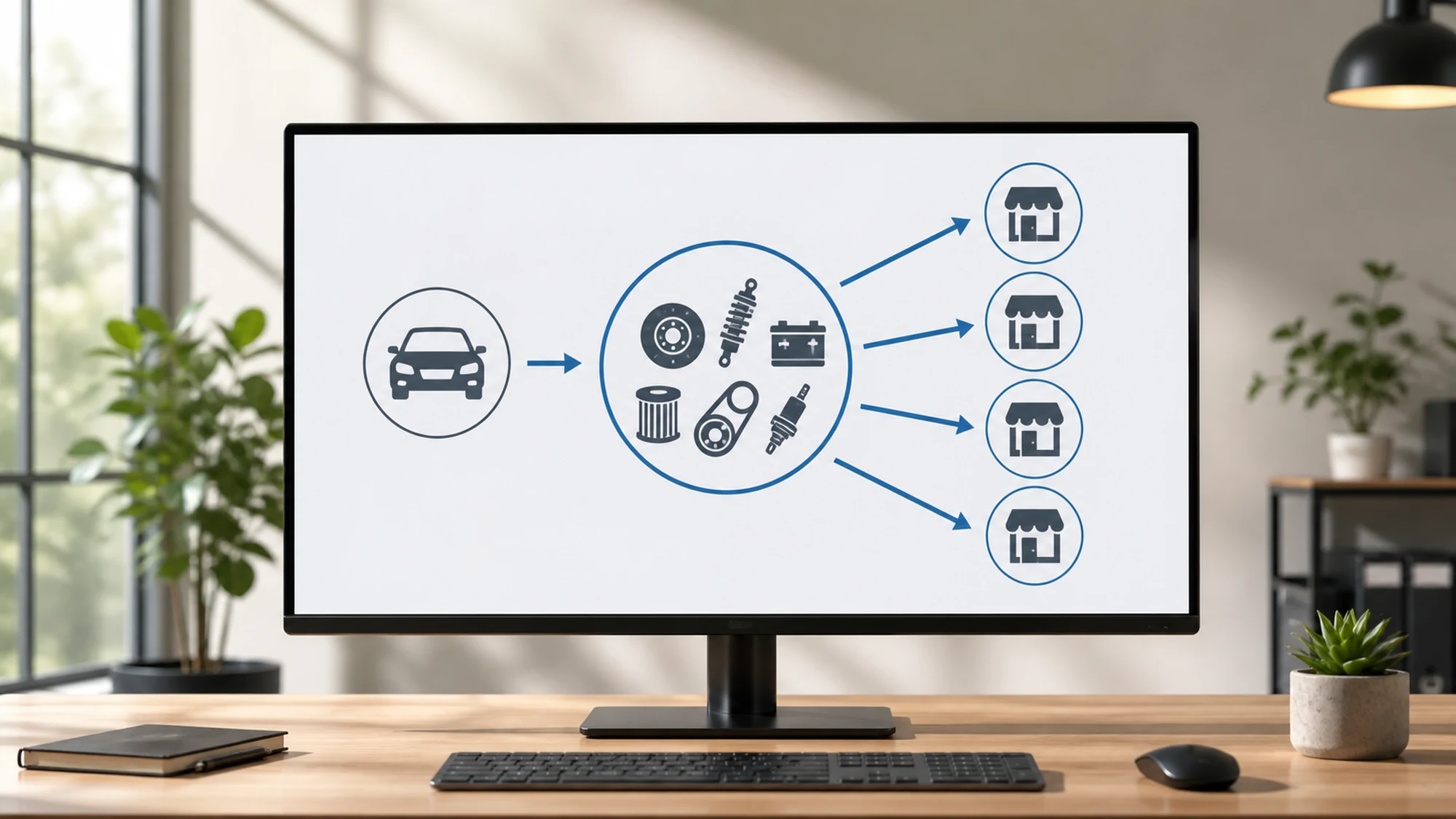
An original auto parts store that also sells on eMAG or another marketplace quickly runs into the same problem: its own catalog has exact VIN-based compatibility, but the feed sent to the marketplace needs to communicate that same compatibility in a format the platform understands and validates automatically. Without that translation, the risk of rejected listings or orders on incompatible parts goes up.
YQ Service, through the identification system we refer to as ACIS, provides technical compatibility data for original (OE) parts based on a vehicle's VIN. This data exists in the store's own system, but it doesn't automatically flow into a marketplace feed unless it's explicitly mapped to the structure each platform requires.
This guide explains what it takes to sync an OE parts feed with VIN-based compatibility to eMAG and other marketplaces, what gets lost when that translation is done incorrectly, and what a working technical flow looks like, based on a real project implemented by HappyWeb.
Why VIN compatibility doesn't automatically reach the marketplace feed
A store with YQ Service integration knows, in its own interface, exactly which parts are compatible with a vehicle identified by VIN. The problem shows up at the marketplace export stage: eMAG and similar platforms don't accept the VIN itself as a compatibility attribute in the feed. They require structured attributes — make, model, generation, engine, manufacturing year, engine code — organized according to the platform's own auto parts category taxonomy.
In practice, two compatibility systems need to talk to each other:
- VIN-based compatibility, precise down to the individual vehicle, used internally by the store and in the store's own VIN search feature.
- Structured-attribute compatibility, required by the marketplace, where a part is linked to a set of vehicles described through make/model/generation/engine, not through an individual VIN.
Without an explicit mapping between the two, a store either exports incomplete compatibility (and loses visibility on the marketplace), or exports compatibility that's too broad (and increases the risk of orders on parts that don't actually fit the buyer's vehicle).
What an OE parts feed with VIN compatibility technically requires
A feed to eMAG or another marketplace is, essentially, a structured file (XML or CSV, depending on the platform's requirement) generated periodically from the store's database. For auto parts with VIN-based compatibility, the feed needs to include, alongside standard product attributes (title, price, stock, image), a dedicated vehicle compatibility block.
The data flow, starting from YQ Service, looks like this:
- The yqservice.eu API returns, for an OE part code, the list of compatible vehicles identified through manufacturing data (not through individual customer VINs directly).
- The store translates this list into the attributes the marketplace requires: make, model, generation, engine, manufacturing period.
- The feed generator assembles the product with the completed compatibility block, in the format accepted by the platform (for example, XML for eMAG Marketplace).
- The feed is sent periodically (cron job or triggered by changes), so stock, price and compatibility stay in sync with the store's own system.
VIN search remains, as before, a feature of the store's own site. On the marketplace, the buyer doesn't enter a VIN — they see compatibility already translated into vehicle attributes, displayed by the platform on the product page.
eMAG's specific requirements for the auto parts category
eMAG Marketplace requires, for the auto parts category, vehicle compatibility attributes to be filled in at the listing level, not just described loosely in the title or feature bullets. A few practical principles apply to most integrations of this kind:
- Compatibility attributes (make, model, generation, engine, year) must be filled in consistently for every product, not just part of the catalog.
- A part compatible with multiple generations/engines must list each relevant combination, not a generic year range.
- Compatibility changes in the source system (YQ Service) must be reflected at the next feed generation, not only at the initial integration launch.
- Categories and attributes must exactly follow eMAG's auto parts taxonomy, checked against the marketplace's own integration documentation before mapping.
The practical recommendation is to check directly in the eMAG seller account (categories and attributes section) for the current required structure, since marketplace taxonomies can change periodically.
How to map YQ Service data to marketplace attributes
Mapping is the central technical step and, usually, the most time-consuming part of a new integration. It involves:
| YQ Service data | Equivalent marketplace attribute |
|---|---|
| Vehicle manufacturer | Make (mandatory compatibility field) |
| Vehicle model and generation | Model / generation (often separate fields) |
| Engine and engine code | Engine (specific field for engine/transmission parts) |
| Manufacturing period | Year from / year to |
| OE part code | Manufacturer code / EAN, depending on platform policy |
Once the mapping is defined, it gets automated in the feed generator, so any new part added to the store with associated YQ Service data automatically receives the correct compatibility attributes at the next export.
Practical implementation plan for feed synchronization
For a store that already has YQ Service integrated on its own site and wants to extend to eMAG or another marketplace, the practical steps are:
- Step 1 — audit existing data. Check what percentage of the catalog already has complete YQ Service compatibility (make, model, engine, period).
- Step 2 — attribute mapping. Build the mapping table between YQ Service fields and the exact attributes required by the marketplace, verified in the seller account.
- Step 3 — feed generator. Configure or adapt the feed generation module to include the compatibility block, not just standard product attributes.
- Step 4 — sample validation. Test the feed on a small set of products, checking whether the marketplace accepts the compatibility data without validation errors.
- Step 5 — periodic synchronization. Schedule automatic feed updates, so stock, price and compatibility changes from YQ Service reach the marketplace on time.
- Step 6 — post-launch monitoring. Track listing rejection rates and any complaints related to compatibility in the first weeks after launch.
Common risks and how to avoid them
- Incomplete compatibility sent in the feed. Mitigation: don't export a product to the marketplace until its compatibility block is fully mapped from YQ Service.
- Data out of sync between the store's own site and the marketplace. Mitigation: schedule feed generation at a fixed interval (for example, on every stock/price update), not manually and occasionally.
- Incorrect mapping between engine and model generation. Mitigation: validate the mapping against a real sample of known vehicles, not just theoretically, before exporting the entire catalog.
- Mixed OE + aftermarket catalogs with different data sources. Mitigation: keep the source of each compatibility record separate in the feed (YQ Service for OE, TecDoc for aftermarket), to avoid overlaps or data conflicts.
When automatic feed synchronization is worth the investment
Not every store needs a fully automated flow from day one. A few practical decision criteria:
| Store situation | Is automatic feed sync worth it? |
|---|---|
| Large catalog (thousands of OE codes), updated frequently | Yes, high priority — manual updates can't keep up |
| Small, stable catalog, a few dozen codes | Optional, a periodic manual export may be enough initially |
| Selling on multiple marketplaces at once | Yes, avoids duplicate mapping work for each platform |
| Already high rejection/complaint rate related to compatibility | Yes, high priority — signals an existing mapping gap |
Case study: the data flow at stoauto.ro
stoauto.ro is an original auto parts online store, developed by HappyWeb, with direct integration of the yqservice.eu API. The implementation includes a vehicle database (marked active/inactive), searchable OE parts technical drawings, VIN search on the store's own site, periodic price import and updates via CSV, as well as integrating the data into the standard ecommerce flow — including generating feeds for marketplaces.
The project shows, in practice, the difference between having correct compatibility data in your own store and exporting it correctly, in structured form, to an external channel like a marketplace.
Frequently asked questions about OE parts feeds with VIN compatibility
Can I send the VIN directly in the eMAG feed?
No. Marketplaces like eMAG require compatibility expressed through structured attributes (make, model, generation, engine, year), not through an individual VIN. The VIN remains useful for search on the store's own site, not as a feed attribute.
What happens if I send incomplete compatibility to the marketplace?
Either the listing gets rejected at validation, or it stays visible with partial compatibility, which increases the risk of orders on parts that don't actually fit the buyer's vehicle, and with it, the risk of returns.
Does the feed need to be generated manually, or can it be fully automated?
It can be fully automated, through a feed generator connected to the store's database and to YQ Service data, scheduled to run periodically. Automation is recommended for any medium or large catalog.
Can I use the same feed for multiple marketplaces?
The underlying data structure can be shared, but the final feed format (XML/CSV, attribute naming, category taxonomy) differs between platforms, so a separate mapping is needed for each marketplace, even when the data source stays the same.
What about aftermarket parts in the catalog that don't have YQ Service data?
These typically use a separate compatibility source, such as TecDoc. In a mixed OE + aftermarket catalog, the feed needs to treat the two sources distinctly, without mixing them into the same attribute mapping.
Correct VIN compatibility in your own store doesn't automatically carry over to a marketplace — it needs explicit mapping to the attributes each platform requires. A well-structured feed, automatically synced with YQ Service data, reduces rejection rates and orders on incompatible parts, without affecting the accuracy of VIN search on your own site.
Want VIN search and OE parts in your auto store, correctly synced to marketplaces too? Contact us for a discussion about integration.
Image generated with AI, used for illustrative purposes.



Write a comment