 English
 Romana

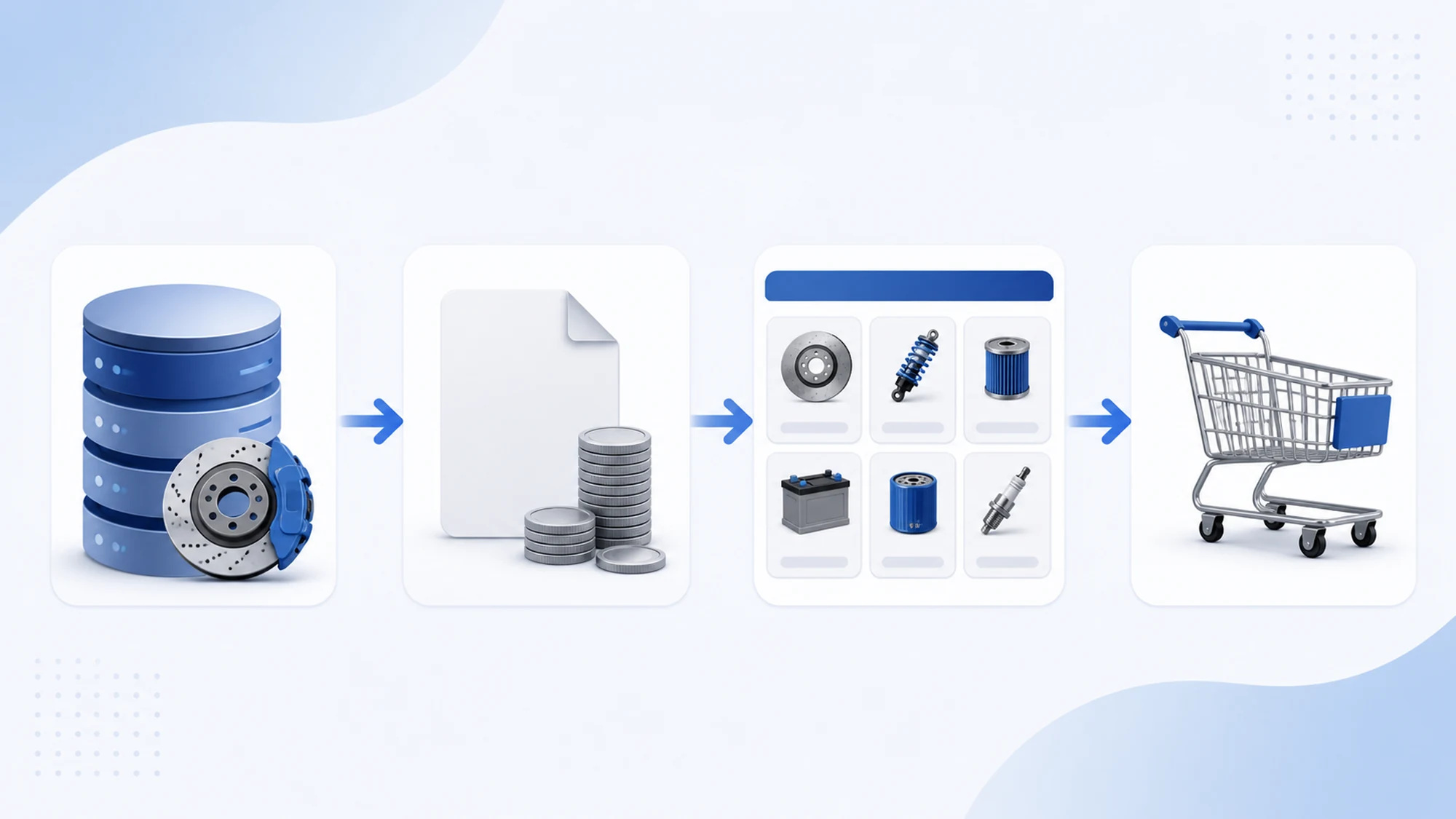
For stoauto.ro, the YQ Service integration did not stop at showing a list of parts after a VIN lookup. Original equipment (OE) data had to land correctly in the catalog, prices and stock had to update on a schedule without manual work, and product pages had to behave normally inside the cart, the customer account and the order module. This article covers exactly that part: the data flow behind the store, not the search interface.
If you are looking for how VIN search works for the customer, that is covered in a separate article about the search UX. Here we cover what happens after a part is identified: how it lands in the catalog, how its price and stock get updated, and how it connects to the rest of the store.
The data flow, from YQ Service to the stoauto.ro catalog
YQ Service data for a vehicle (OE codes, names, exploded parts diagrams) enters the system through a defined flow: vehicle identification, extraction of the compatible parts list, then mapping those parts onto the store's product structure (category, attributes, image, base price). This mapping step is what turns "raw supplier data" into a product page ready to sell.
- Active/inactive vehicles are marked explicitly, so models no longer supported by the supplier do not show up in search.
- Every OE part keeps a link to the exploded diagram it comes from, useful for quick visual checks in the shop or during a return.
- Products without a confirmed price or stock are not published automatically on the front end, to avoid orders on unavailable parts.
Updating prices and stock: from CSV to the product page
Prices and stock for OE parts change often, especially with suppliers who update their lists weekly or even daily. For stoauto.ro, updates run through a CSV import/export flow: the supplier's file is validated, compared against existing data, and applied only on the differences (new price, new stock, discontinued product).
This mechanism avoids two common problems in auto parts stores: outdated prices shown to the customer, and accidental overwriting of products that did not appear in the current file. An import that does not find an OE code in the new CSV does not delete the product automatically — it flags it for review instead of removing it outright.
| Step | What happens | Why it matters |
|---|---|---|
| File validation | Format and required fields (OE code, price, stock) are checked | Prevents corrupted imports from breaking valid product pages |
| Comparison | Compared against existing data, differences identified | Only what changed gets updated, not the whole catalog |
| Application | New price and stock are written to the existing product | The customer always sees the current price and availability |
| Missing product check | Codes no longer present are flagged, not auto-deleted | Avoids accidentally losing valid products |
How OE data connects to the cart, customer account and orders
A product page generated from YQ Service data has to behave exactly like any other product in the store when the customer buys. For stoauto.ro, that meant OE parts use the same cart module, the same login flow and the same order system as the rest of the catalog, with no separate code branch for "YQ Service products."
- Shopping cart: the price and stock shown in the cart come from the same source updated through the import, not from a value fixed at the moment it was listed.
- Customer account: order history keeps the exact OE code of the part purchased, useful for repeat orders or later compatibility checks.
- Orders: a last-moment stock check runs at checkout, to reduce the risk of selling a part that went out of stock between viewing and placing the order.
What happens when an OE code or price changes
An OE code can change for the same vehicle position (part replacements, manufacturer revisions). When an import brings a new code for a position already in the catalog, the system keeps the order history tied to the old code but shows new customers the updated code. This separation between "order history" and "active catalog code" avoids confusion in reports and in the shop.
Large price changes (above a percentage threshold agreed with the stoauto.ro team) are flagged separately rather than applied automatically — a sudden price jump can signal an error in the source file, not just a real commercial adjustment.
Data risks encountered and how they were handled
The most common risks in integrating an external auto parts data supplier are not about the search itself, but about the quality and consistency of the data received on a recurring basis.
- Incomplete or corrupted files — validated before import; a file that fails validation never reaches production.
- Duplicate OE codes — handled through a clear priority rule (latest valid source wins), documented explicitly in the import process.
- Mismatches between displayed and actual stock — reduced through sync frequency and the stock check at checkout.
- Orphan products (parts with no active vehicle attached) — flagged automatically for periodic review, not left visible on the front end without purpose.
How this flow connects to VIN search
VIN search is the entry point for the customer: they enter the vehicle identification number and get the list of compatible parts. The flow described in this article is what supports that list behind the scenes — the data has to be accurate, current and properly connected to the rest of the store before it becomes visible in a search result. Without a solid data flow like this, a VIN search can technically return results, but with outdated prices or wrong stock.
Practical plan for a store that wants the same flow
- Map the YQ Service data structure (vehicle, part, exploded diagram) onto the store's existing product structure before running any import.
- Build an import flow based on differences, not a full catalog overwrite on every run.
- Set clear rules for products missing from the current file (flag, not auto-delete).
- Re-check stock again at checkout, not only when the product is displayed.
- Set alert thresholds for large price changes before applying them automatically.
Frequently asked questions about YQ Service data integration
How often do prices and stock update for OE parts?
Frequency depends on the supplier and the agreed schedule; for stoauto.ro, imports run on a recurring interval set together with the store's team, not just once at launch.
What happens if the supplier's file is missing or corrupted?
The file is validated before import. If it fails validation, the existing catalog stays unchanged until the next valid file — a partial or incorrect import is never applied.
Does YQ Service data work with any ecommerce platform?
The flow described here was built for stoauto.ro's specific architecture. The principle (data mapping, difference-based import, stock check at checkout) can apply to other platforms, but the actual implementation depends on each store's structure.
Does this integration remove the need for TecDoc for aftermarket parts?
No. YQ Service covers original equipment (OE) parts; for a complete catalog that also includes aftermarket parts, the data flow described here is completed by a separate TecDoc integration, covered in another article.
Conclusion
VIN search is the visible part of a YQ Service integration; the data flow behind it — import, price and stock updates, and the connection to the cart, customer account and orders — is what keeps that search accurate over time. For stoauto.ro, this flow was built to run without constant manual work, with clear checks at every sensitive step.
Want original and aftermarket parts in the same store? Let's discuss combining YQ Service and TecDoc for a complete catalog.
Image generated with AI, used for illustrative purposes.



Write a comment